




Specifying an outdoor kiosk starts with the site. Sun exposure, weather, heat dissipation, viewing distance, and interaction needs determine the configuration before screen size does.
A kiosk installed beneath a covered entrance faces different conditions from one placed in an open plaza. Both may need outdoor hardware, but the second location has to manage direct sun, wind-driven rain, dust, drainage, and greater temperature changes.
For most projects, three questions shape the specification:
- How exposed is the installation site?
- How visible must content remain in daylight?
- Does the kiosk need simple playback, remote management, or touch interaction?
IP66 Protection for the Complete Kiosk
For a fully exposed location, brightness is only part of the specification. The enclosure must protect the display, electronics, connectors, and internal assemblies from weather and dust.
The RusinDisplay outdoor kiosk platform uses an IP66-rated complete enclosure. When correctly installed and kept sealed, it is designed to resist dust ingress and powerful water jets.
The floor-standing version uses an IP68-rated XLG power supply inside the kiosk. This is a component-level protection rating. The complete kiosk enclosure remains rated IP66.
When comparing quotations, ask whether the stated IP rating applies to the fully assembled kiosk, including access doors, cable entries, and external interfaces—not only to the display module or power supply.
IP66 does not mean the kiosk should sit in standing water. The base must remain above finished ground level, cable entries must be sealed, and drainage around the foundation must stay clear.
3,000 Nits, Anti-Glare Glass, and Automatic Brightness Control
This outdoor kiosk display uses a rated brightness of 3,000 nits with an ambient-light sensor for automatic adjustment. It can raise output in strong daylight and reduce brightness after dark to avoid unnecessary glare.
The screen construction also includes:
- 5 mm protective glass rated to IK10 impact resistance
- An anti-glare surface treatment
- UV and infrared reduction treatment
- A quarter-wave plate for improved viewing through polarized sunglasses
- Optical films that support backlight efficiency
These features solve different outdoor visibility problems. Brightness helps the screen compete with daylight. The anti-glare surface softens direct reflections. UV and infrared treatment helps reduce solar heat load.
A display can remain powered and still be difficult to read if reflections make dark content appear gray. Final placement should therefore be reviewed from the real customer viewing position, not only from directly in front of the kiosk.
Choose the Size Around Content and Viewing Distance
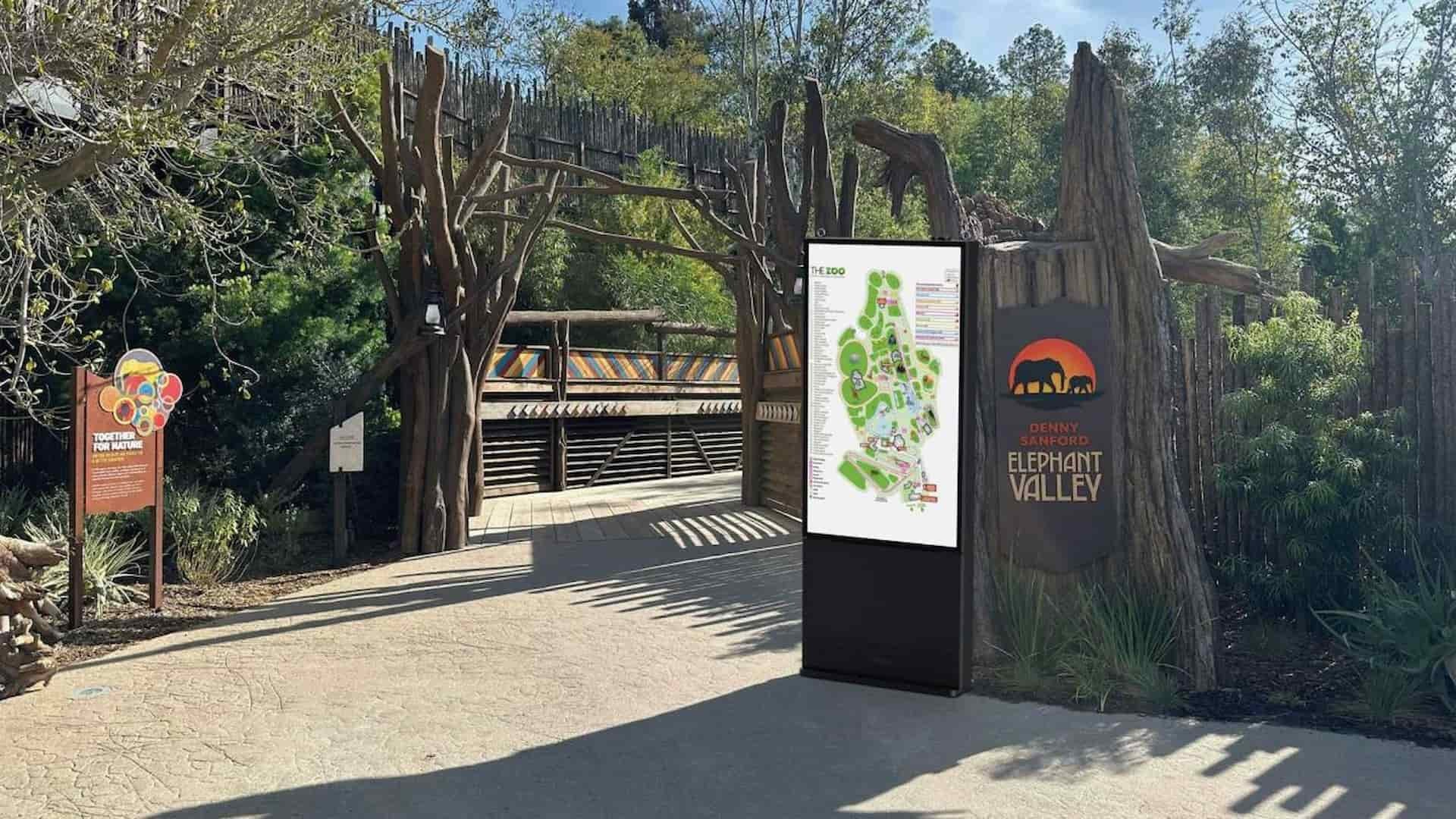
RusinDisplay’s outdoor kiosk display is available in 32, 43, 49, 55, 65, and 75 inches.
| Size | Resolution | Typical use |
| 32 inches | Full HD | Close-range information, compact entrances, directories |
| 43 inches | Full HD | Pedestrian-facing notices and limited-footprint locations |
| 49 inches | 4K | General advertising and public information |
| 55 inches | 4K | Retail, transport, commercial and wayfinding projects |
| 65 inches | 4K | Larger-format content viewed from farther away |
| 75 inches | 4K | Open public areas and high-visibility campaigns |
A 32-inch kiosk can work well where people stand close to read short information. A 75-inch screen gives campaigns more presence across an open space, but it also requires more room and a content layout that stays readable at distance.
Larger displays provide more visual area, but they also place a greater thermal load on the enclosure. That makes heat dissipation increasingly important as screen size and brightness rise.
Thermal Design and Installation Clearance
The kiosk uses an aluminum structure, temperature monitoring, controlled fan cooling, and high-temperature LCD panels. As internal temperature rises, the cooling system increases airflow. If the enclosure reaches its protection threshold, the system can reduce screen brightness to limit further heat generation.
The specified operating environment is −25°C to 50°C, with solar radiation below 1,100 W/m². Panel thermal ratings vary by screen size, reaching up to 110°C on selected larger models.
Internal cooling can only work when heat has somewhere to go. Keep the enclosure’s heat-dissipation surfaces clear and maintain at least:
- 80 mm behind the kiosk
- 80 mm above the kiosk
- 80 mm on both sides
Do not cover these areas with decorative panels, landscaping, advertising materials, or adjacent equipment. If the kiosk will sit inside a recess or architectural surround, the outer structure must allow heat to escape rather than recirculating warm air around the enclosure.
Maintenance-Free Does Not Mean No Inspection
The sealed design is maintenance-free in the sense that routine operation does not require opening the enclosure for internal cleaning or filter service.
External inspection is still necessary. Check the outer glass, seals, enclosure, drainage area, ventilation surfaces, and mounting hardware regularly. Coastal and dusty locations may need more frequent exterior cleaning. After severe weather, inspect the housing, glass, base, and anchors before returning the kiosk to normal operation.
Do not open the enclosure without authorization. Unapproved disassembly can compromise the weather seal and affect warranty coverage.
Android, Windows, PCAP Touch, and CMS
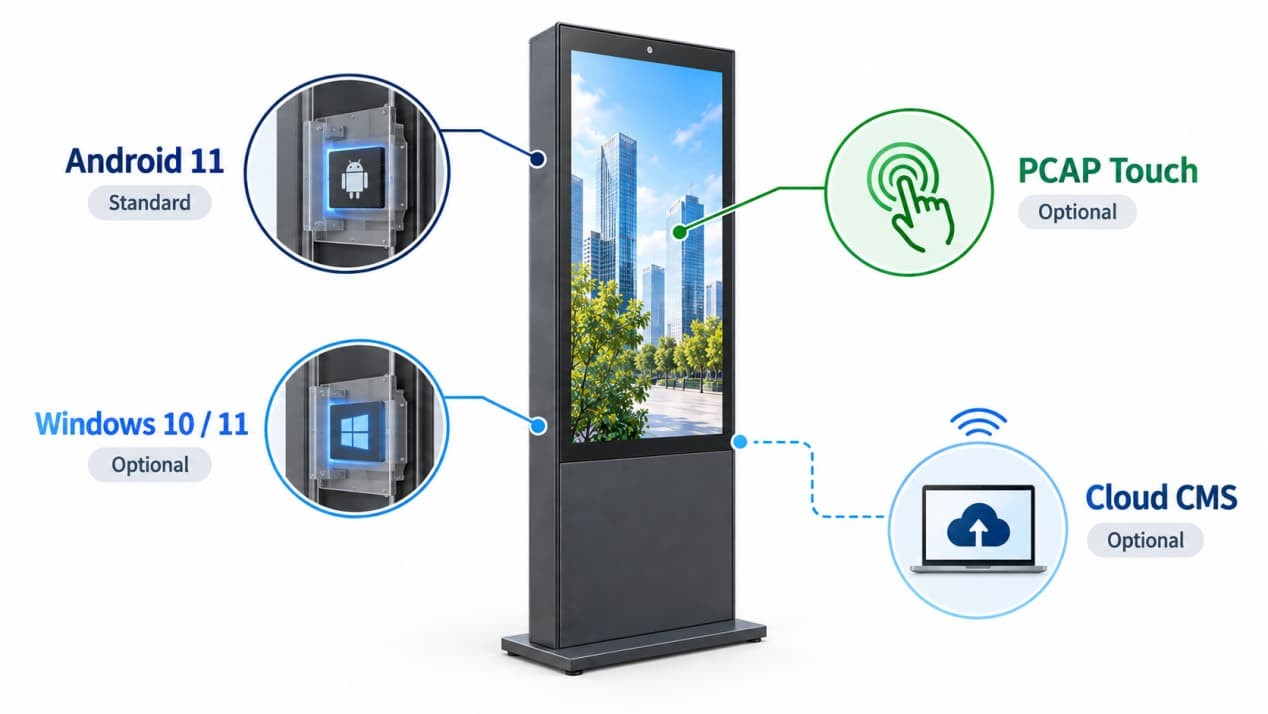
Treat the operating system, touch layer, and CMS as separate configuration choices.
Android 11 is the standard integrated playback configuration. It suits projects that need scheduled content, local media playback, remote publishing, and normal all-in-one operation without a permanently connected external computer.
Windows 10 or Windows 11 is optional for projects that depend on compatible desktop software or a third-party application. The customer or software provider should confirm system compatibility before production begins.
PCAP touch is also optional. It is appropriate for wayfinding, visitor search, registration, ticketing, and other interactive applications. A non-touch kiosk is usually the simpler choice for advertising or public-information playback.
The CMS determines how content is published and scheduled. Depending on the selected configuration, it can support local playback, scheduled playlists, timed power control, remote content publishing, and playback reporting.
Downloaded local content can continue playing during a temporary network interruption. New remote updates will synchronize when the connection returns.
Foundation and Electrical Planning
A floor-standing outdoor kiosk should be fixed to a level concrete foundation, not placed directly on loose paving or in a low point where water can collect.
Power and communication routes should be planned before civil work is complete. Underground cables need to enter through the designated base opening, while the finished installation needs proper grounding, surge protection, sealed cable access, and unobstructed drainage.
High-wind, coastal, rooftop, or typhoon-prone sites need project-specific structural review. Kiosk weight alone does not determine whether an installation is suitable for the location.
Qualified installers should work from the approved product drawing rather than adapting a generic base layout on site.
Warranty and Project Support
All RusinDisplay products include a three-year warranty, subject to the applicable warranty terms and correct installation and use.
RusinDisplay can provide product dimensions, structural drawings, installation documentation, mounting information, and remote technical guidance. These documents should be reviewed before the foundation, cable route, or surrounding architectural finish is finalized.
For an outdoor kiosk display project, contact RusinDisplay with the installation environment, required size, viewing direction, and any touch or software requirements.
FAQ
Is IP66 enough for an outdoor kiosk display?
IP66 is suitable for a sealed outdoor kiosk exposed to dust and powerful water jets, provided the installation follows the required drainage, sealing, and foundation conditions. It does not cover continuous immersion or long-term standing-water exposure.
Does a 3,000-nit screen always stay readable in sunlight?
It is designed for high outdoor brightness, but visibility still depends on screen angle, reflections, surrounding surfaces, content contrast, and heat conditions. Review the kiosk from the actual viewing direction before finalizing the installation.
Can the kiosk use Windows instead of Android?
Yes. Android 11 is the standard playback configuration, while Windows 10 or Windows 11 can be selected for projects using compatible third-party software.
Does every outdoor kiosk include touch?
No. PCAP touch is optional. It should be selected only when visitors need to interact with an application rather than simply view content.