




An outdoor LCD display needs more than high brightness.
A screen installed outside may face direct sunlight, rain, dust and large temperature swings at the same time. The backlight itself also produces heat, so simply putting a bright indoor LCD inside a metal enclosure is not enough.
For outdoor use, four things matter most: brightness, reflection control, weather protection and thermal management.
What Makes an LCD Suitable for Outdoor Use?
A commercial outdoor LCD is built around the same basic LCD technology as an indoor display, but the complete unit has to handle a much harsher environment.
| Requirement | Main Purpose |
| High brightness | Keeps content visible in strong ambient light |
| AR / AG treatment | Reduces glare and surface reflection |
| IP-rated enclosure | Protects against dust and water |
| Thermal management | Controls solar and internal heat |
| Protective glass | Adds physical protection |
| Ambient light sensor | Adjusts brightness as lighting changes |
These functions solve different problems.
A bright display can still fail outdoors if the enclosure cannot handle rain or heat. A waterproof display can also be difficult to read if the screen is too dim.
How Bright Should an Outdoor LCD Display Be?
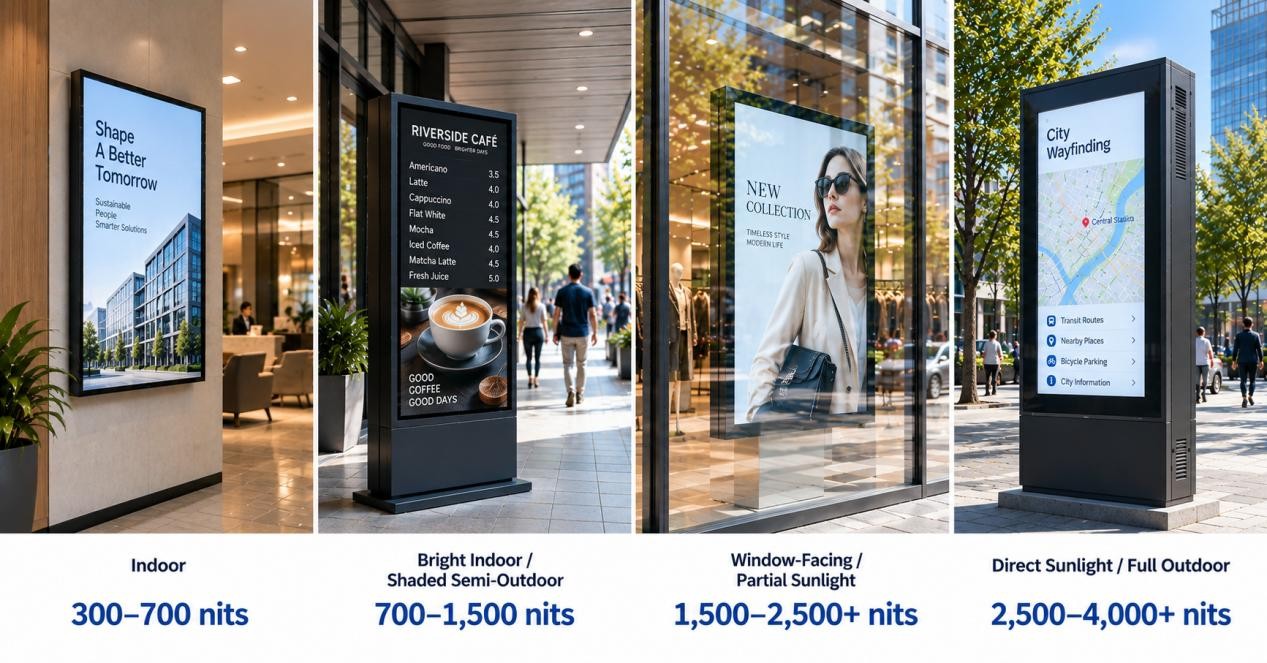
Brightness is measured in nits, or cd/m².
The right value depends heavily on where the screen is installed. A kiosk under a canopy does not need the same brightness as a display facing direct afternoon sunlight.
Outdoor LCD Brightness by Environment
| Installation Environment | Reference Brightness |
| Indoor | 300–700 nits |
| Bright indoor / shaded semi-outdoor | 700–1,500 nits |
| Window-facing / partial sunlight | 1,500–2,500+ nits |
| Direct sunlight / full outdoor | 2,500–4,000+ nits |
| Very demanding direct-sun installations | 3,500–4,000+ nits |
These are reference ranges, not fixed rules.
A 1,500-nit display may work well under a shaded walkway. The same screen may look washed out when installed in direct sunlight.
Why More Nits Are Not Always Better
Higher brightness also means more backlight power and more heat.
In a sealed outdoor enclosure, that heat is added to the heat coming from direct sunlight. This is why blindly increasing brightness can create a new thermal problem.
A 2,500–3,500-nit display with good reflection control and proper cooling can be more practical than an ultra-high-brightness display with poor thermal design.
The goal is not to use the highest possible brightness. It is to use enough brightness for the actual installation while keeping power and heat under control.
Sunlight Readability Is More Than Brightness
A bright screen can still be hard to read outdoors because sunlight reflects from the front surface.
Strong reflections make black areas look gray and reduce the visible difference between dark and bright parts of the image. The result is the familiar washed-out look seen on ordinary screens in sunlight.
Anti-Glare and Anti-Reflective Treatment
Anti-glare (AG) surfaces scatter reflected light so bright glare is less concentrated.
Anti-reflective (AR) treatment reduces the amount of light reflected from the surface.
Both can improve outdoor visibility, but they do not increase the actual brightness of the LCD.
Optical Bonding
Optical bonding removes the air gap between the LCD and the front glass by filling it with a transparent optical material.
This reduces internal reflections and can improve contrast in bright environments.
IP55, IP56 or IP65: What Does an Outdoor LCD Need?
IP ratings tell you how well the enclosure protects against dust and water.
The first number refers to solid-particle protection. The second refers to water protection.
| Rating | General Meaning | Typical Use |
| IP55 | Dust protected, protected against water jets | Moderately exposed outdoor locations |
| IP56 | Dust protected, stronger water-jet protection | More exposed outdoor installations |
| IP65 | Dust-tight, protected against water jets | Common full-outdoor requirement |
The enclosure design matters as much as the rating itself. Cable entries, doors, vents and service panels also have to maintain the intended protection level.
A high IP rating does not improve screen visibility. Likewise, high brightness does not make a display waterproof.
Why Heat Matters in Outdoor LCD Displays
Outdoor LCDs can get hot from two sources at the same time.
The first is the sun. Front glass, bezels and metal enclosures absorb solar heat.
The second is the display itself. The LED backlight, power supply, controller and optional computer all produce heat during operation.
This becomes especially important in sealed outdoor enclosures.
Sunlight Washout and LCD Blackening Are Different
These are two different problems.
Washout happens when strong ambient light and surface reflection reduce visible contrast.
LCD blackening happens when the liquid crystal becomes too hot and moves outside its permitted operating range. Temporary dark areas or image distortion can appear until the panel cools.
The exact temperature limit depends on the LCD panel, so it should always be checked against the panel specification.
Cooling and Heating
Outdoor LCD systems may use:
- controlled airflow
- intelligent cooling fans
- heat sinks
- heat exchangers
- temperature sensors
- heaters for cold climates
The cooling method depends on the enclosure, brightness level and local climate.
This is also why brightness and thermal design should be considered together.
Window-Facing vs Full-Outdoor LCD Displays
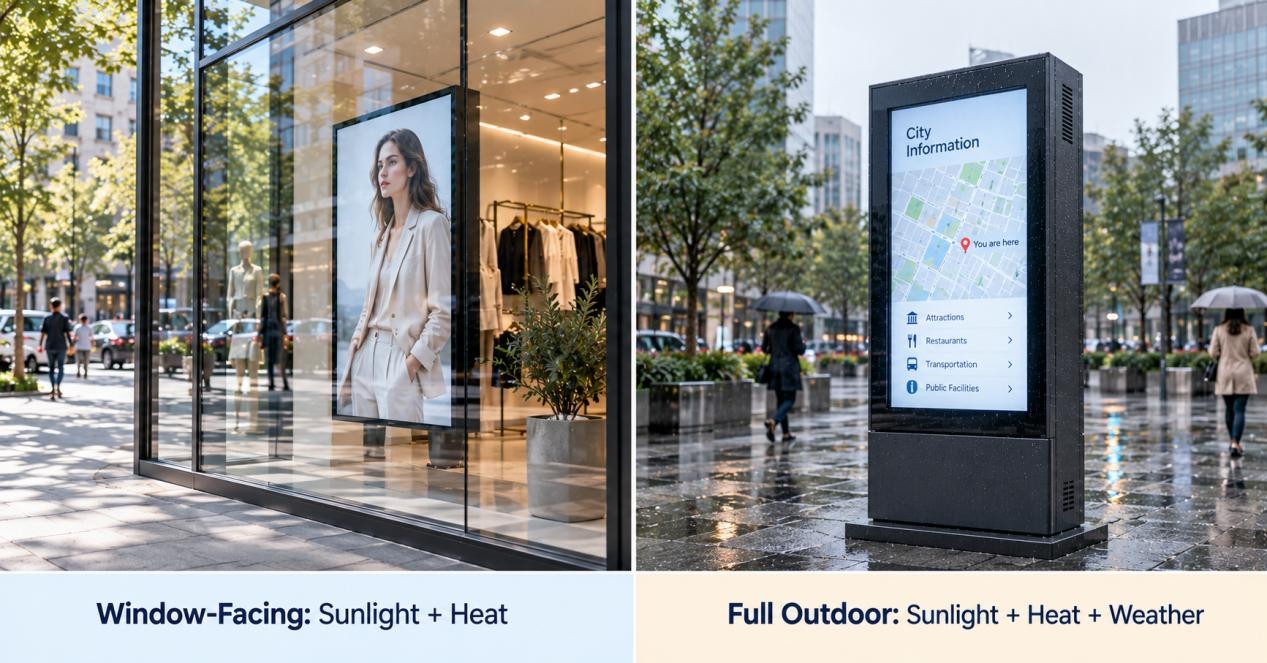
Window-facing and full-outdoor displays can both require high brightness, but they are not the same type of product.
| Requirement | Window-Facing | Full Outdoor |
| Strong ambient light | Yes | Yes |
| Direct sunlight | Possible | Possible |
| Direct rain exposure | Usually no | Yes |
| High brightness | Often required | Often required |
| IP-rated enclosure | Usually less important | Important |
| Thermal management | Important | Critical |
| Main challenge | Reflection + solar heat | Sun + heat + weather |
A window-facing screen may need 2,500 or even 4,000 nits because it faces strong sunlight through glass, but the unit itself is still installed indoors.
A full-outdoor display must also deal with rain, dust and external temperature changes.
Choosing Specifications by Installation
The easiest way to select an outdoor LCD is to start with the installation environment instead of comparing specification sheets first.
| Installation | Brightness Priority | IP Priority | Thermal Priority |
| Covered outdoor | Medium–High | Medium | Medium |
| Window-facing | High | Low | High |
| Outdoor wall display | High | High | High |
| Outdoor kiosk | High | High | High |
| Bus shelter | High | High | High |
| EV charging display | High | High | High |
| Direct-sun advertising | Very High | High | Very High |
Two 55-inch outdoor screens can require very different configurations.
One may sit under a canopy and receive mostly indirect daylight. Another may face west and receive direct afternoon sun for several hours every day.
The screen size is the same, but the brightness and cooling requirements are not.
Viewing direction should also be considered. If people approach the screen from different angles, panel viewing characteristics become important as well. See our LCD Viewing Angles Guide for more detail.
Outdoor LCD vs Outdoor LED
Outdoor LCD and outdoor LED are both common commercial display technologies, but they suit different jobs.
LCD is usually the better fit for close viewing, detailed text and interactive interfaces. Common examples include:
- outdoor kiosks
- EV charging screens
- menu boards
- wayfinding
- transportation information
- standalone advertising displays
Direct-view LED becomes more attractive as the display gets larger and the viewing distance increases.
It is commonly used for:
- large advertising screens
- building façades
- stadium displays
- large public information boards
- custom-size video walls
For a 43- or 55-inch interactive kiosk viewed from one or two meters away, LCD usually offers much finer pixel density.
For a display several meters wide and viewed from across a road, LED is often more practical.
For a deeper comparison, see our LED vs LCD Display Guide.
Common Outdoor LCD Applications
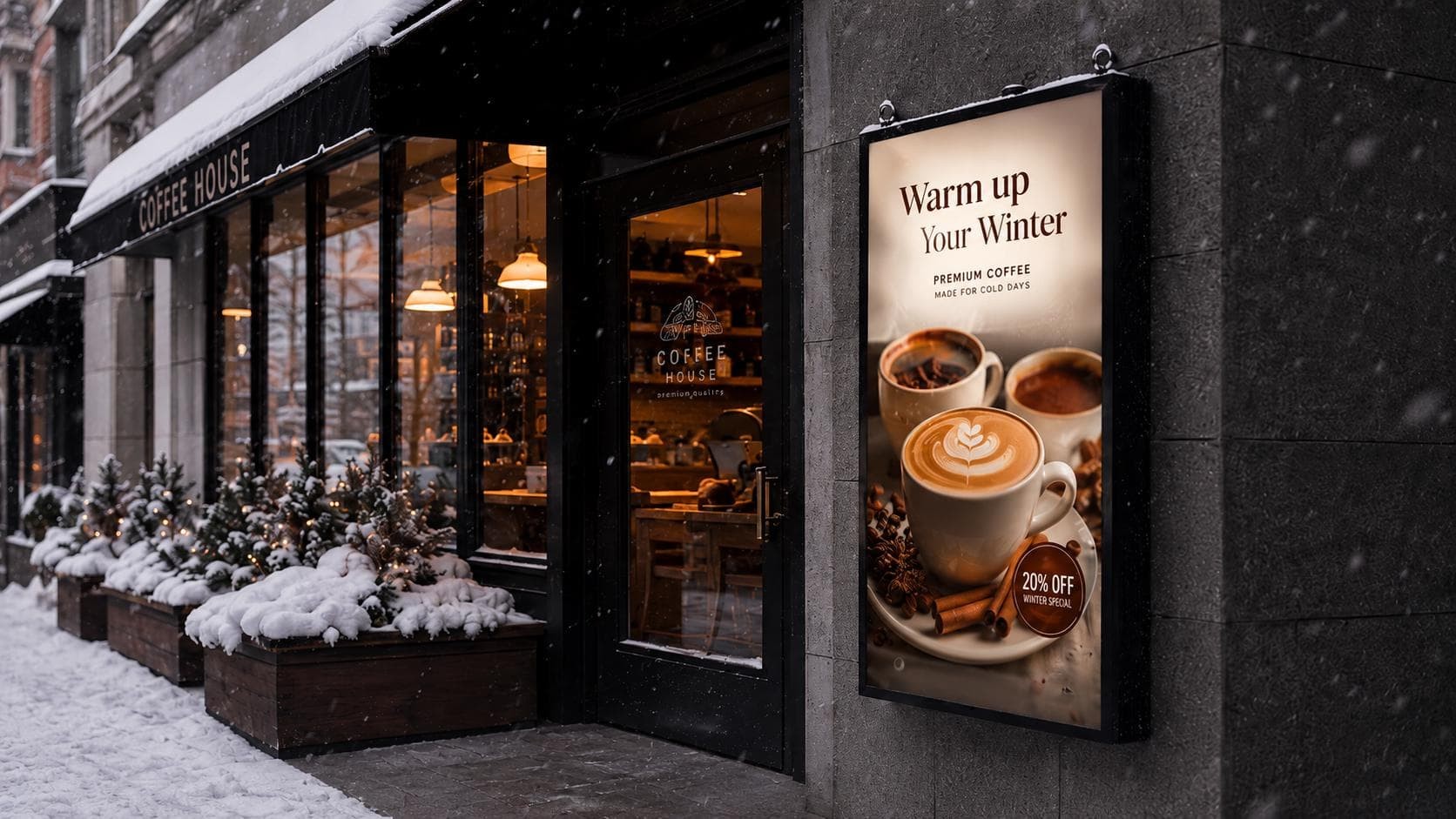
Outdoor Advertising
High-brightness LCDs work well where viewers are relatively close and need to see detailed images, text or promotional content.
Transportation and Wayfinding
Bus stops, stations and public spaces use outdoor LCD displays for schedules, maps, directions and service information.
Outdoor Kiosks
Outdoor kiosks combine a display, protective enclosure and optional touch interface in one freestanding unit.
Typical uses include wayfinding, self-service, public information, ticketing and interactive advertising.
RusinDisplay's outdoor LCD kiosk is designed for this type of freestanding outdoor application.
Drive-Thru Menu Boards
Drive-thru menu boards need clear text and product images under changing daylight conditions.
EV Charging Stations
EV chargers usually use smaller screens that are viewed from close range. They need clear text, status information and touch or button-based interaction.
Smart-City Displays
Outdoor LCD systems can also be used for maps, public notices, transport information and local service updates.
How to Choose an Outdoor LCD Display
Most projects can be narrowed down using three questions.
1. Where will the screen be installed?
A display behind a shop window mainly needs high brightness and good heat control. A fully exposed outdoor screen also needs appropriate water and dust protection.
2. How much sun and heat will it receive?
A shaded installation may work with lower brightness. A west-facing or direct-sun installation normally needs higher luminance and stronger thermal management.
3. How will people use and view the screen?
For close-range text, maps and touch interaction, LCD is usually a strong choice. For very large displays viewed from tens of meters away, outdoor LED may be more suitable.
Once those three conditions are clear, brightness, IP protection, cooling and display size become much easier to specify.
For outdoor commercial projects, explore RusinDisplay outdoor LCD solutions or contact RusinDisplay with your screen size, installation environment and sunlight conditions.
FAQ
How many nits are needed for an outdoor LCD display?
Shaded and semi-outdoor applications may work around 700–1,500 nits. Window-facing and partial-sun installations often move into the 1,500–2,500+ nit range, while direct-sun outdoor LCDs commonly use about 2,500–4,000+ nits.
Is 1,000 nits enough for outdoor use?
It can be enough in shaded or controlled semi-outdoor locations. It is usually not the first choice for a screen that receives strong direct sunlight for long periods.
What IP rating does an outdoor display need?
That depends on how exposed the display is to rain and dust. IP55, IP56 and IP65 are all used in outdoor commercial displays, with IP65 commonly used for fully exposed outdoor enclosures.
Why do LCD screens turn black in direct sunlight?
Direct sunlight can heat the LCD panel beyond its specified operating temperature. When this happens, the liquid-crystal layer may temporarily darken or show abnormal image behavior until it cools.
What is the difference between a window-facing and full-outdoor display?
A window-facing display is normally installed indoors behind glass and mainly deals with sunlight, reflections and heat. A full-outdoor display is directly exposed to weather and therefore also needs suitable dust and water protection.