




A digital window display should help people notice your store and understand your offer within a few seconds. It should remain visible during business hours, withstand the heat around the window, and let staff change promotions without touching the screen.
Whether it is called a digital window display, window digital signage, a window-facing display, or a storefront window display, it is essentially the same type of high-brightness commercial screen installed behind glass and facing passersby.
You do not need to compare every technical specification. Start with three questions:
- Does direct sunlight reach the window?
- How far away will people view the screen?
- Do you need to show content only outside or on both sides?
Quick Selection Guide
These are practical starting configurations. Glass tint, reflections, direct sunlight, viewing distance, and local temperature may change the final brightness or thermal design.
| Storefront situation | Suggested starting configuration | Best for |
| Narrow real estate office, café, or drink shop with bright daylight but little direct sun | 43–49 inch, single-sided, portrait hanging or narrow freestanding design, approximately 1,500–2,000 nits | Prices, menus, property listings and short promotions viewed at close range |
| South- or west-facing fashion store with direct afternoon sunlight | 55–65 inch freestanding display, approximately 2,500–3,000 nits, optional automatic brightness control and thermal management matched to the site | Large windows, seasonal campaigns and advertisements viewed from farther away |
| Indoor mall storefront without direct sunlight and with two-way foot traffic | 55-inch double-sided display, approximately 700–1,000 nits facing the corridor and approximately 700 nits facing inside | Attracting shoppers outside while promoting memberships or products inside |
Before requesting a quotation, take photos of the window in the morning, at noon, and in the late afternoon. This quickly shows whether the display faces direct sun, strong reflections, or shaded daylight.
Three Costly Mistakes Store Owners Should Avoid
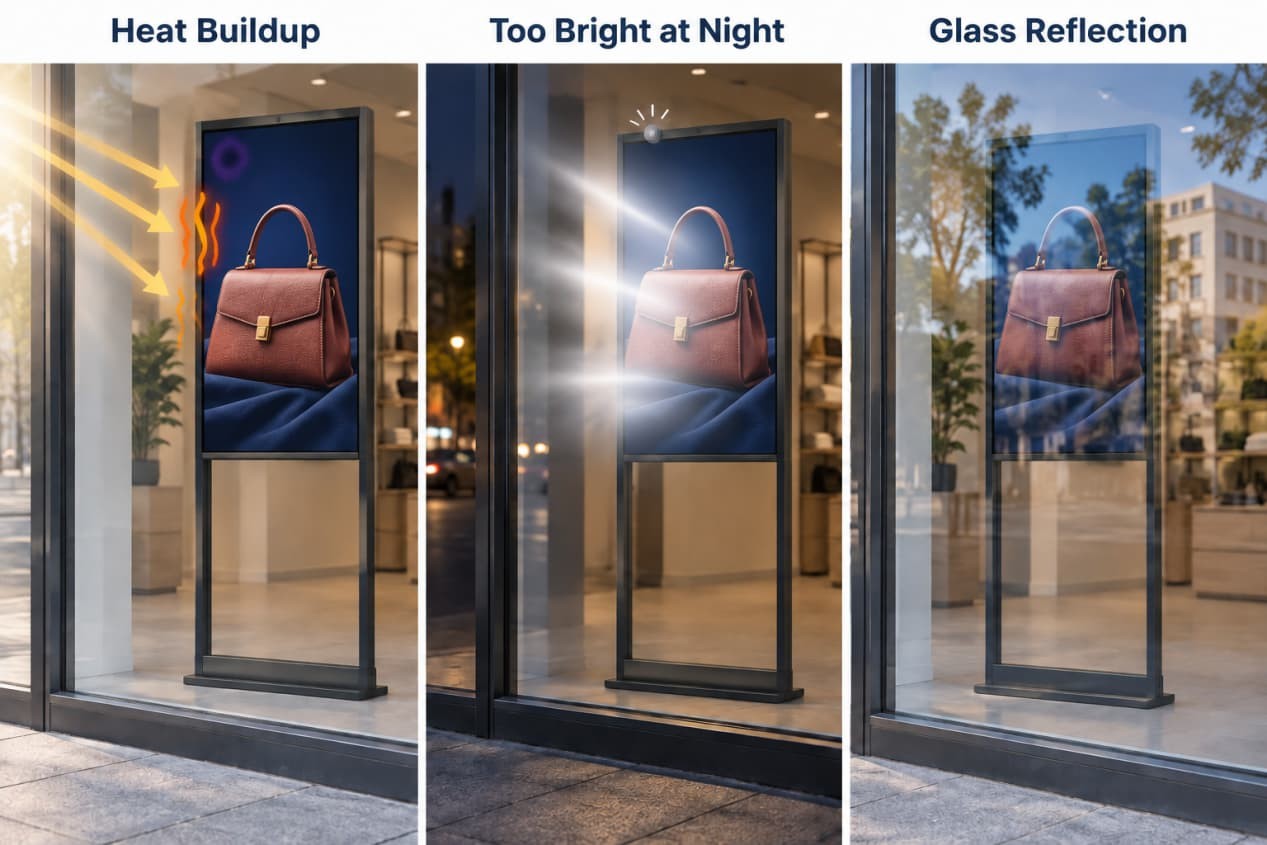
Mistake 1: Buying a Bright Screen That Cannot Handle the Heat
Brightness helps an advertisement compete with daylight, but increasing brightness also increases the heat generated by the backlight.
Direct sunlight heats the storefront glass and the front of the LCD. The backlight and electronics add more heat inside the enclosure. If that heat cannot escape, the screen may develop dark patches, color distortion, reduced contrast or temporary LCD blackening.
A screen may return to normal after cooling if the overheating was brief. Repeated or prolonged exposure can shorten the life of the panel, backlight, power supply and other internal components.
This is why direct-sunlight protection is not just a marketing feature. A suitable display needs brightness that matches the window, a panel selected for the expected temperature range, and an enclosure that can release heat effectively.
Do not choose only by the highest nit number. A well-cooled 2,500-nit display may be more reliable in a particular storefront than a brighter screen installed too close to the glass with no usable airflow.
For more information about sunlight readability and outdoor display conditions, see our guide to outdoor high-brightness LCD displays.
Mistake 2: Keeping Daytime Brightness After Dark
A screen that looks correct at noon may become uncomfortably bright at night.
Excessive nighttime brightness can distract drivers and pedestrians, cause complaints from nearby residents, consume unnecessary electricity and add heat inside the display.
Specify automatic brightness control when the project requires it. An ambient-light sensor or scheduled brightness setting can keep the screen bright during the day and reduce its output after sunset.
The exact energy saving depends on operating hours and brightness settings, but automatic dimming avoids running the backlight at full output when the storefront no longer needs it.
Mistake 3: Ignoring Reflections from the Glass
A bright display can still look like a mirror if the storefront glass reflects the sky, nearby buildings, trees or vehicles.
Dark window tint and reflective coatings can also reduce the amount of screen light reaching the street. A display that looks bright from inside the shop may appear pale from the pavement.
Check the window from outside at different times of day before choosing the brightness. If reflections are strong, several simple changes can help:
- Move the display away from the strongest reflected object.
- Apply a slight screen angle when the supporting structure allows it.
- Use dark backgrounds with large, bright text.
- Avoid pale advertisements filled with small details.
- Test the finished content from the pavement during the brightest period.
A clear, high-contrast advertisement is often easier to see than a brighter screen displaying crowded or low-contrast content.
Choose the Size by Viewing Distance
Do not choose the largest screen simply because it looks more impressive in a catalog. Consider the width of the storefront, the distance from the pavement and the amount of information you need to show.
A 43- or 49-inch display suits narrow storefronts where people pass close to the glass. It works well for menus, service prices, property listings and single-product promotions.
A 55-inch display is the most practical starting point for many stores. It provides a useful viewing area without occupying too much window or floor space. If you are unsure which size to choose, use 55 inches as the initial reference and adjust after checking the storefront dimensions and viewing distance.
A 65- or 75-inch display is more suitable for wide façades, open mall corridors and locations where people view the content from farther away.
The current RusinDisplay window-facing range covers multiple sizes from 32 to 75 inches, with 43-, 49-, 55-, 65- and 75-inch configurations commonly used for commercial projects. Most current products use Full HD or 4K panels according to their size, so store owners should focus primarily on visibility, text size and content quality rather than comparing resolution numbers alone.
The 55-inch window-facing freestanding display is a useful reference for stores that want to compare single-sided and double-sided configurations.
Single-Sided or Double-Sided?
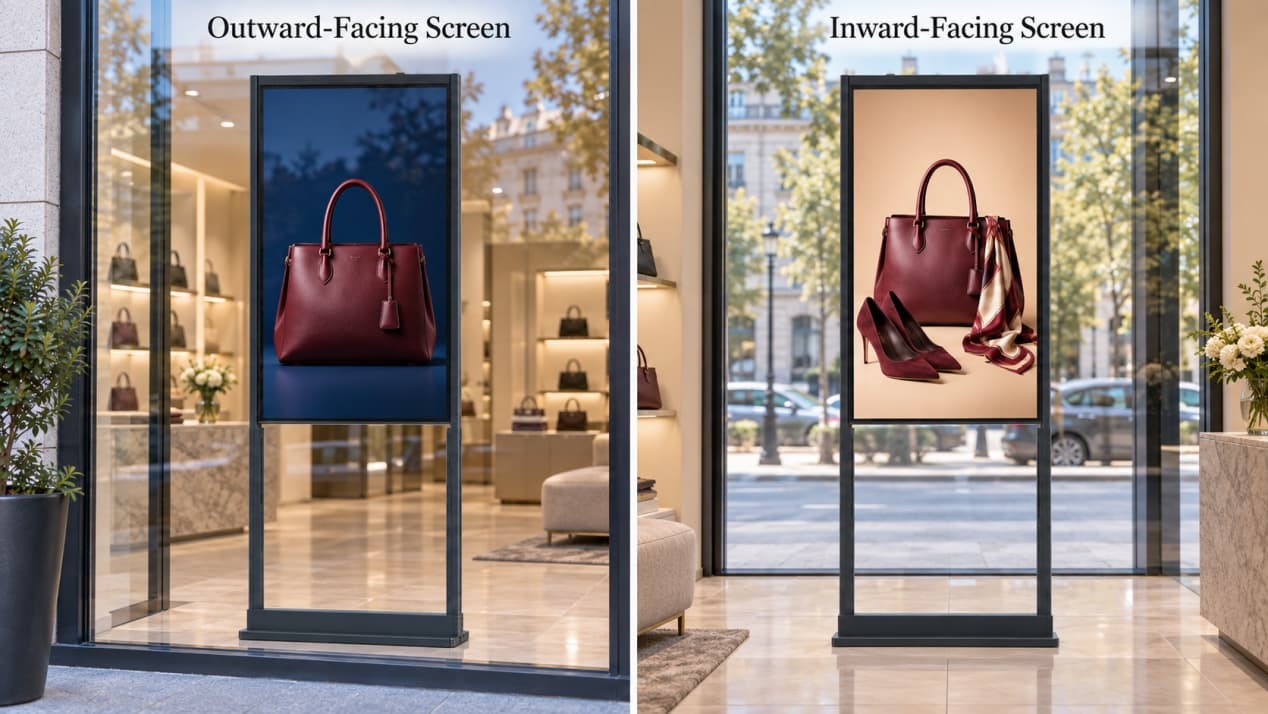
Choose a single-sided display when only people outside need to see the content. It is normally the simpler and more economical option when the rear of the unit faces a wall or unused area.
Choose a double-sided display when the inward-facing screen can continue selling to customers after they enter the store.
| Screen direction | Purpose | Suitable content |
| Outward-facing screen | Catch a passerby’s attention within a few seconds | Seasonal promotion, signature product, large discount message or one strong campaign image |
| Inward-facing screen | Encourage customers already inside to take another action | Membership offer, product details, menu upgrade, review incentive or related products |
Do not automatically specify the same high brightness on both sides. For a store receiving strong sunlight, a project might use approximately 3,000 nits on the outward-facing screen and approximately 700 nits on the inward-facing screen.
This keeps the outside advertisement visible without making the inside screen unnecessarily bright or adding avoidable heat to the enclosure. The final brightness on each side should still match the actual lighting around the store.
Freestanding or Hanging?
The choice can be reduced to two simple rules:
- Choose a hanging display when floor space is limited and the ceiling can safely accept the mounting structure. This leaves the window floor completely free for products or decorations.
- Choose a freestanding display when the property does not allow ceiling drilling, the display position may change, or you want an easier installation with less construction work.
A customized base can also help the display fit an unusual window, conceal cables or match the store’s interior design.
Make Sure Changing Content Is Easy
Avoid a system that requires staff to carry a USB drive to the screen whenever a promotion changes.
Ask for a web-based cloud content-management system that allows authorized staff to upload content remotely, update multiple stores and schedule different posters by time of day. If phone-browser operation is important, confirm that the selected CMS supports it before ordering.
The operating-system choice is equally simple:
- Choose Android when the screen mainly plays advertising images, videos and scheduled promotions. It is generally the simpler option for ordinary store content.
- Choose Windows only when the display must run dedicated PC software or connect with an existing POS, ordering or business system.
A monitor-only configuration is also available when the customer already has an external media player or content platform.
Check the Storefront Before Ordering
A phone camera and tape measure are enough for the initial site check.
- Photograph the window from outside in the morning, at noon and in the late afternoon.
- Measure the glass, available floor or ceiling space and approximate viewing distance.
- Check whether direct sunlight reaches the screen and how long it remains there.
- Confirm the location of the power supply, network connection and maintenance access.
- Leave enough space between the display and storefront glass for heat to escape.
For the current RusinDisplay window-facing freestanding series, leave approximately 100 mm, or 10 cm, between the front of the display and the glass. As an easy visual reference, that is roughly one and a half fists of ventilation space. Do not press the screen directly against the window.
After installation, stand outside during the brightest part of the day and test the actual advertisement. Adjust the display angle, brightness and content design before approving the final position.
Choose a Window Display That Fits Your Store
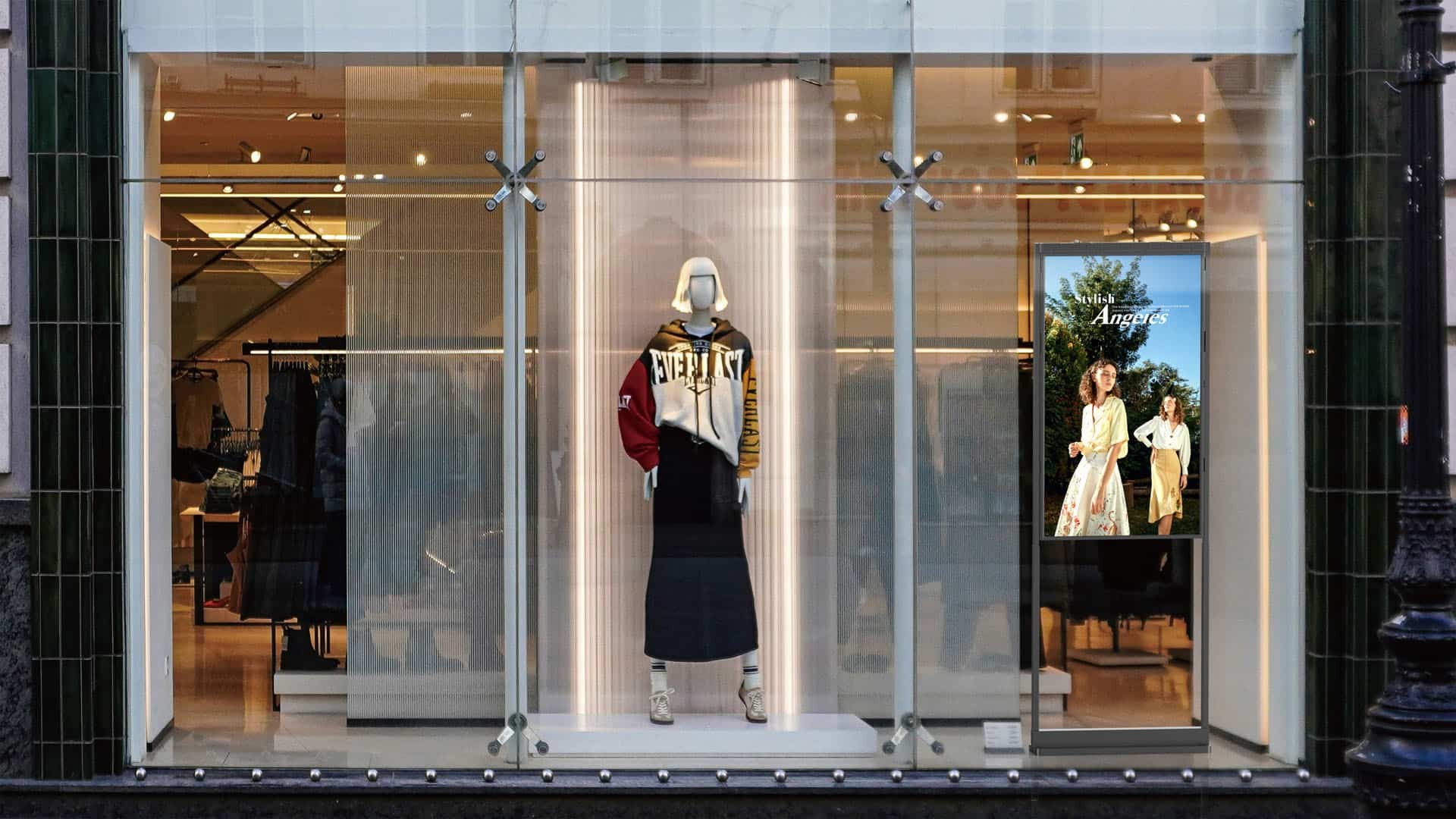
The right storefront window display is not automatically the largest or brightest model. It is the one that remains visible from the street, handles the heat around the glass and allows staff to update promotions without extra work.
The RusinDisplay window-facing freestanding display series provides multiple sizes, single- and double-sided structures, Android or Windows systems, cloud content management and configurable installation options. RusinDisplay window-facing commercial displays include a three-year warranty.
For a recommended configuration and quotation, send the RusinDisplay team these three items:
- Storefront photos showing the window and direction of sunlight
- Window dimensions and approximate pedestrian viewing distance
- Preferred screen size, single- or double-sided design, and Android, Windows or monitor-only operation
Frequently Asked Questions
How many nits does a digital window display need?
A shaded or bright indoor window may need approximately 700–1,500 nits. A street-facing window with partial sunlight may require approximately 1,500–2,500 nits, while demanding direct-sunlight installations can require approximately 2,500–4,000 nits together with suitable thermal management.
The correct brightness depends on the sunlight, glass tint, reflections, viewing distance and content design.
Can I put a normal home television behind a storefront window?
It is generally a poor choice. Home televisions are designed for domestic indoor conditions and often lack the brightness, thermal design and operating durability required for a sun-facing commercial window.
Warranty conditions also vary by manufacturer. Some consumer television warranties limit or exclude commercial use, so a television installed in a retail store may not receive the same coverage as one used at home. Check the exact warranty terms before assuming that commercial damage will be repaired free of charge.
A professional commercial display is designed and warranted for its stated business application. RusinDisplay’s window-facing commercial display series includes a three-year warranty.
Will a home television quickly develop permanent black spots?
Not every television will fail within a fixed period, and temporary LCD blackening may recover after the panel cools. However, a television placed close to sun-heated glass can experience temperatures and operating conditions for which it was not designed.
Repeated overheating may cause blackening, discoloration, backlight deterioration or premature component failure. The risk depends on direct-sun exposure, ventilation, operating hours and the particular television.
Does a window-facing display need to be waterproof?
Not necessarily. A screen installed behind storefront glass is normally protected from direct rain, so it does not need the same weatherproof enclosure as a fully exposed outdoor display.
It still needs suitable protection from solar heat, restricted ventilation, condensation and dust. A display exposed directly to rain or wind-blown dirt requires a different outdoor enclosure.
Is a double-sided window display worth the additional cost?
Yes, when customers can clearly see both sides. The outside screen attracts passersby, while the inside screen can promote memberships, complementary products, menu upgrades or customer reviews.
If the rear of the display faces a wall or unused area, a single-sided model is usually the more economical choice.