




In a well-designed office, screens should feel planned into the architecture.
A television mounted beside a visible power outlet may play the same corporate video as a commercial display, but exposed cables, a deep wall gap and a domestic enclosure can make a newly finished reception area look improvised. Paper notices create a different version of the same problem: they curl, expire and gradually turn shared walls into visual clutter.
Corporate digital signage brings these functions into one managed system. It supports visitor communication, internal announcements, meeting-room information and company-wide content while maintaining a cleaner, more consistent interior.
Reception and Lobby: Build the Screen Into the First Impression
Reception is the first visual checkpoint for customers, candidates and business partners. Visitors may see the screen for only a few seconds while approaching the desk, so the installation needs to be clear, polished and free from visible wiring.
A 55- or 65-inch landscape wall-mounted commercial display is a practical choice for most reception areas. It can show a corporate film, personalized welcome message, visitor schedule, brand story or simple building directory without occupying floor space.
RusinDisplay’s 55-inch wall-mounted digital signage combines a 4K commercial LCD panel with a slim, symmetrical enclosure and narrow bezel. When the power outlet, network port and bracket position are coordinated before the wall is closed, the cables and mounting hardware remain concealed.
Its ambient-light sensor automatically adjusts the screen between 250 and 800 nits. The picture stays visible near a bright entrance during the day and softens as the available light falls, avoiding unnecessary brightness in darker conditions.
The result is closer to an architectural feature than a television added after the fit-out. Reception teams can change welcome messages, event schedules or brand content remotely without connecting a laptop or replacing printed graphics.
For boardrooms or executive centers aiming for a minimalist, non-intrusive aesthetic, transparent OLED offers another option. It can present digital content without closing off the architectural sightline, as shown in this corporate meeting-room installation.
Elevator Lobbies and Main Corridors: Communicate in a Few Seconds
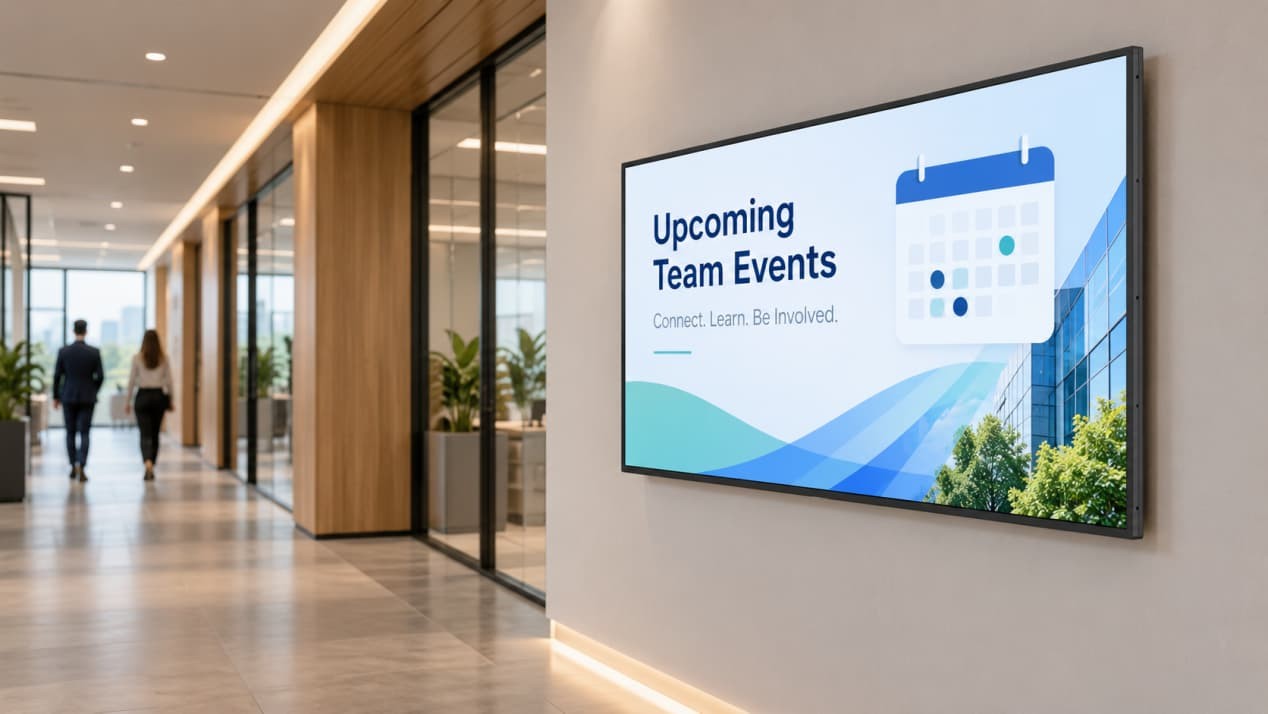
Employees and visitors pass through corridors and elevator lobbies throughout the day, but they rarely stop for long. Content in these areas must be understood quickly.
A 43- or 55-inch slim landscape wall-mounted display can carry administrative notices, safety reminders, event information, attendance messages and simple directions without placing an object on the floor.
The slim wall-mounted structure reduces intrusion into the circulation route. A 178-degree viewing angle also keeps the picture visible as people approach from the side instead of standing directly in front of the screen.
Installation details matter in narrow spaces. The power outlet and network port should not sit behind the bracket rails, and the connector depth must be considered before the final position is approved. A poorly positioned outlet can force even a slim display away from the wall.
Content should match the walking pace. One clear headline, a restrained visual and a short action are more useful than a complete policy document squeezed onto one slide.
This replaces curling paper notices and temporary banner stands with a permanent information point, keeping the corridor visually consistent while allowing administrative content to be updated remotely.
Open Event Areas and Lobby Atriums: Use Freestanding Signage When There Is No Suitable Wall
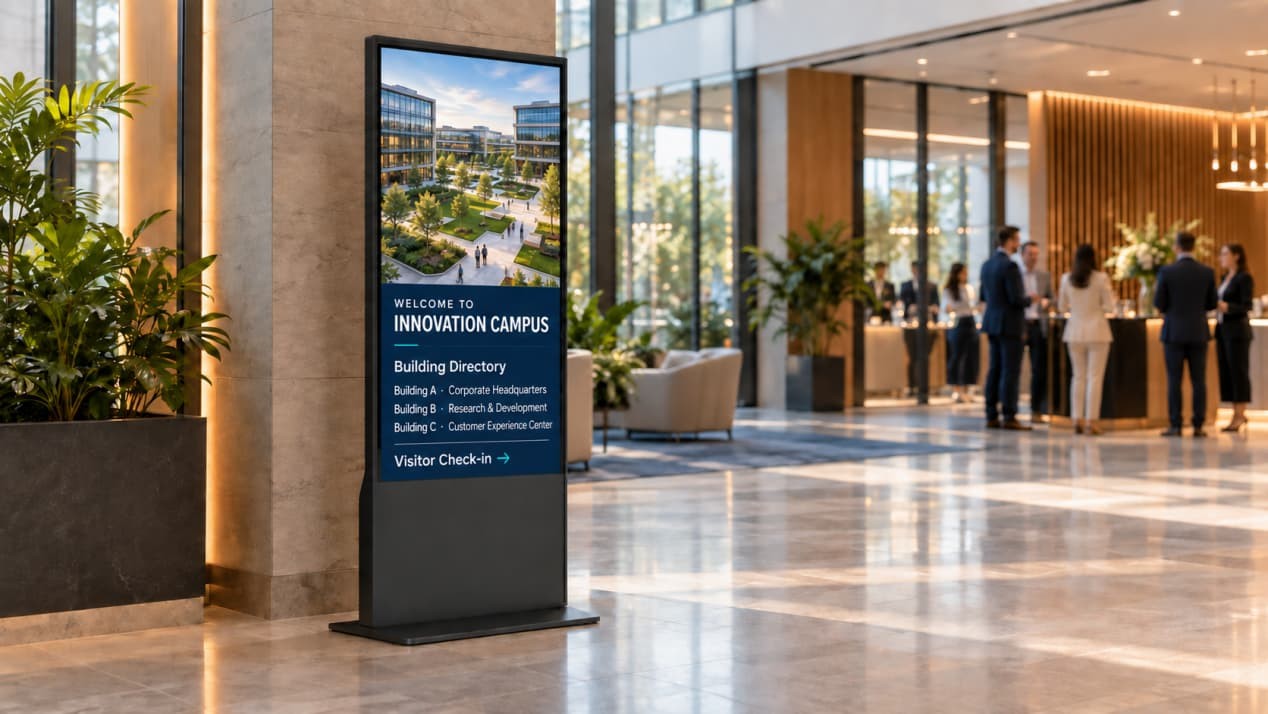
Large entrance halls, internal event areas and atriums often lack a suitable solid wall. These spaces may also be rearranged for recruitment days, exhibitions, annual meetings or seasonal campaigns.
A 55-inch portrait freestanding digital display creates a self-contained information point without requiring a wall-mounted installation. Its vertical format suits welcome graphics, event programs, employee recognition, campaign posters and directional content.
The RusinDisplay 55-inch freestanding digital signage combines a 4K portrait display with an integrated metal enclosure and stable floor base. The playback system is housed inside the unit, while power can be routed discreetly toward a nearby floor outlet or protected wall connection.
It supports automatic brightness adjustment between 250 and 800 nits, Android or Windows configurations, networked content management and optional PCAP touch.
A standard freestanding display is normally installed in one fixed position. If employees need to move it frequently between locations, the mobile requirement should be specified at the quotation stage so the supplier can provide a suitable structure with lockable caster wheels and integrated cable management.
For a fixed installation, the floor plan should reserve enough space around the base without narrowing the pedestrian route. The cable must not run unprotected across the customer or employee walkway.
Employee Break Rooms and Lounge Areas: Make Internal Communication Less Formal

Break rooms, cafeterias and coffee areas give employees more time to notice workplace content. These locations suit information that needs more than the few seconds available in a corridor.
A 55-inch wall-mounted commercial display can present employee recognition, benefits information, wellbeing programs, training reminders, company milestones and upcoming social activities without filling the room with printed posters.
Screen-surface treatment is important around windows, polished countertops and ceiling downlights. An anti-glare surface can be specified to diffuse distracting reflections, while the ambient-light sensor adjusts brightness as room conditions change.
Built-in speakers support corporate video or light background audio, although captioned silent playback is often more considerate in a shared space. CMS layouts can also divide the screen into controlled content regions—for example, a main company update beside weather information, an approved news feed or an event countdown.
The layout should remain calm. Filling every area with tickers, feeds and widgets recreates the same clutter the display was meant to remove.
Scheduled power control allows the screen to follow office operating hours and enter standby outside the required period. For multipurpose rooms where the display genuinely needs to serve different layouts, a mobile cart with lockable casters can be specified separately.
Meeting-Room Entrances: Show Availability Before Someone Opens the Door
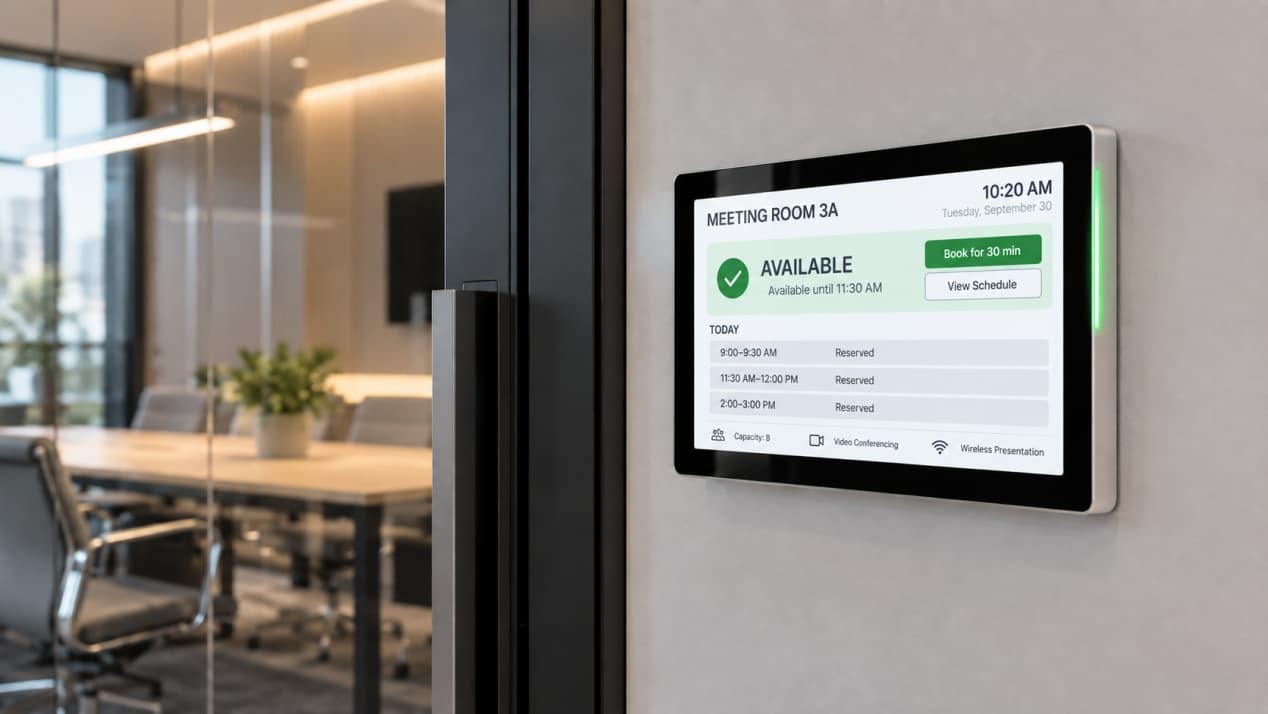
Outside a meeting room, a compact 10.1- or 15.6-inch panel can show room availability, the current booking and the next scheduled meeting without dominating the surrounding door frame or glass partition.
RusinDisplay can provide these small-format wall-mounted or recessed touch displays as a customized series. They are not currently listed as standard website products, so enclosure size, finish, mounting depth and interface requirements are confirmed for each project.
Available configurations can include:
- PoE for combined power and network communication through one Ethernet cable;
- a red-and-green edge light showing occupied or available status;
- touch input for supported room-booking actions;
- interfaces for third-party scheduling platforms.
Where PoE is selected, the contractor can route one network cable through the ceiling and door-frame structure. This avoids adding a visible AC outlet beside a glass meeting-room wall.
The hardware can be configured for platforms such as Microsoft Teams, Exchange, DingTalk, Feishu or another meeting-room system. RusinDisplay supplies the display hardware and interface support. The customer or its software partner supplies the relevant accounts, licenses, APIs and booking software.
The Engineering Behind a Clean Installation
Even a slim commercial display will sit awkwardly on the wall if the outlet, data port and mounting rails are planned separately.
Conceal Power and Data During the Fit-Out
The electrical and low-voltage contractors should receive the final display dimensions and bracket drawing before completing the wall.
For a wall-mounted screen, the power and data points must avoid the mounting rails. The outlet should also leave enough room for the plug and cable bend without pushing the display forward.
A freestanding unit needs the same attention. A nearby wall outlet, protected floor outlet or concealed cable route prevents the power lead from crossing an active walkway.
These details are inexpensive during construction and disruptive after the wall, stonework or cabinetry has been finished.
Manage Every Screen From One CMS
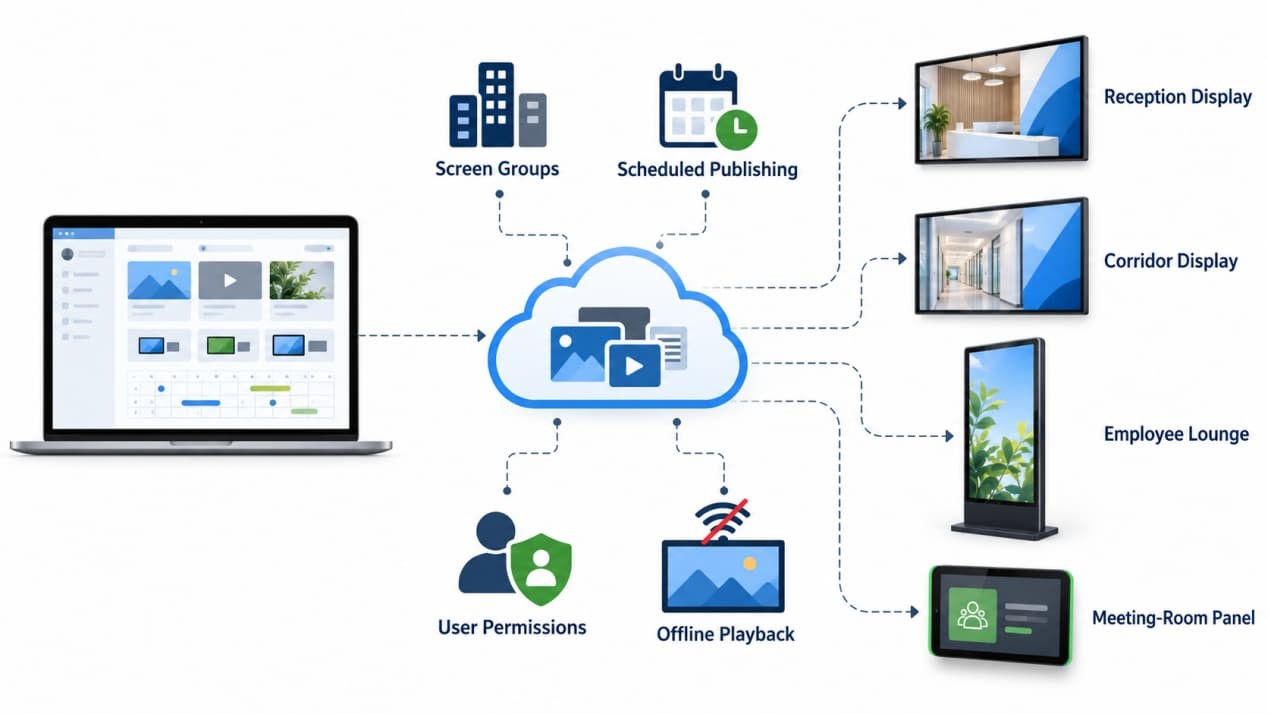
The CMS gives corporate communications teams one publishing layer across reception displays, corridor screens, employee areas and branch offices.
Screens can be grouped by building, city, floor, department or function. Headquarters can control company-wide templates and major announcements while local administrators receive permission to manage only their assigned screens.
Scheduling and expiration dates prevent outdated material from remaining visible. A recruitment campaign can start on the required morning and leave the playlist automatically after the event ends.
The system supports:
- centralized remote publishing;
- screen and location groups;
- user permissions;
- scheduled content and expiration dates;
- multi-office distribution;
- priority-message override;
- local offline playback;
- scheduled power control;
- automatic restart after power recovery.
Third-party content from Microsoft Teams, SharePoint, Power BI or workplace-management software can be displayed through the appropriate operating environment and interface. The integration method, authentication and software licensing should be agreed with the customer’s IT team or software partner.
Continue Playing During Network and Power Interruptions
Content sent through the CMS is downloaded to local storage. If the office network becomes temporarily unavailable, the existing playlist continues instead of leaving a blank screen or loading page.
New remote messages and live data cannot update while the terminal is offline. Once the network returns, the display reconnects and synchronizes the latest approved content.
Automatic power recovery follows the same operating logic. After an AC interruption, the display restarts and returns to its scheduled playlist without relying on reception or cleaning staff to switch it on manually.
During a fire drill, severe weather event or temporary building closure, approved users can push an instant visual alert to selected floors or the entire display network. The alert runs alongside the building’s PA and alarm systems, then returns to the scheduled playlist after it is cleared.
Bring the Interior and Communication System Together
Reception areas benefit from a clean landscape screen that strengthens the company’s first impression. Corridors need slim displays with content that can be understood while walking. Open atriums suit fixed-position portrait freestanding displays. Employee lounges support calmer, longer-form communication. Meeting-room entrances need compact panels connected to the booking workflow.
When the display format follows the room rather than a one-model-fits-all purchasing list, the screens sit more naturally within the interior and remain easier to manage as one network.
All RusinDisplay products include a three-year warranty. Product dimensions, mounting drawings, interface options and customized structures can be confirmed during project planning.
Planning a new office, relocation or workplace technology upgrade?
Send RusinDisplay your office CAD plan, proposed display locations and collaboration requirements. The engineering team can provide an office display location plan, installation and concealed-wiring drawings, and a customized product quotation within 24 hours—helping the project team resolve mounting, power and cabling requirements before construction is completed.
Frequently Asked Questions
Why not install ordinary consumer televisions throughout the office?
A consumer television may be sufficient for a small office where the screen runs for limited hours and staff update it manually. It becomes less suitable when displays must operate for extended periods, restart automatically, follow schedules and receive centrally controlled content across several locations.
Television depth, rear-panel shape, connector position and wall clearance also vary between models. Commercial displays use more consistent enclosures and mounting structures intended for public-facing installations, making concealed cabling and repeated deployment easier to plan.
Surface finish should be checked rather than assumed. Offices with strong downlights or large windows may require anti-glare treatment as well as sufficient brightness.
Do meeting-room door displays need a separate AC outlet?
Not when the selected custom panel uses PoE. A compatible Ethernet connection can carry power and network data through the same cable, reducing the need for a visible outlet beside the door.
PoE-switch compatibility, cable routing, mounting depth, touch functions and status lighting should be confirmed before production.
Will the display go blank if the office network fails?
No. Content already downloaded to local storage continues playing according to the existing schedule.
Live dashboards and newly published messages cannot update until connectivity returns. After the network is restored, the terminal reconnects and synchronizes the latest content automatically.
How can several floors or branch offices update content without using USB drives?
The CMS organizes displays into groups based on location, floor, department or purpose. Headquarters can protect company-wide templates and announcements while allowing local administrators to update only their assigned screen groups.
Content can be published remotely, scheduled in advance and assigned an expiration time. This removes the need to visit every display with a USB drive and prevents expired notices from remaining on screen.