




A Practical Guide to Building a Mirror TV at Home
A Mirror TV combines a functional television with a decorative mirror in a single unit. When the screen is off, it blends into the space like a standard wall mirror. When powered on, display content appears through the mirror surface without removing or uncovering the screen.
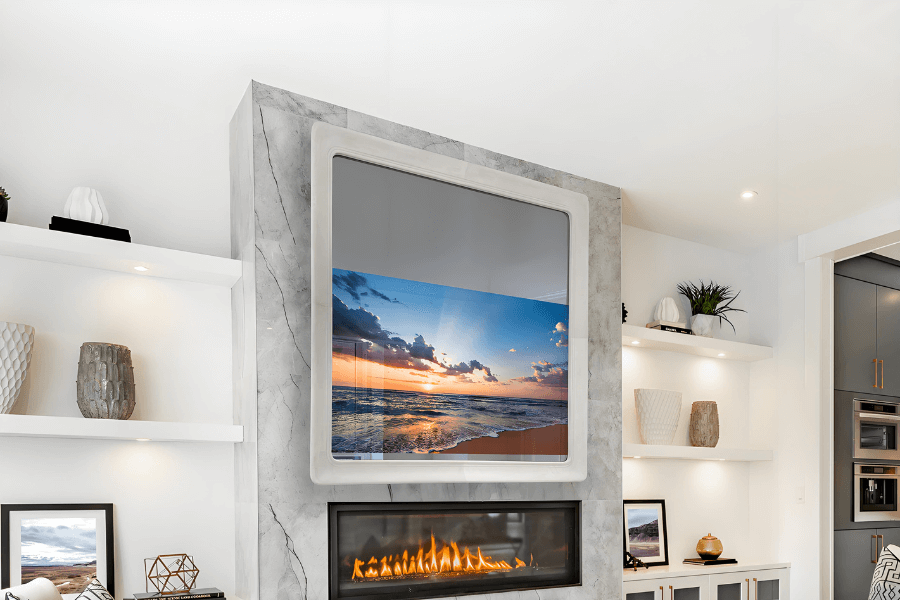
This guide explains how Mirror TVs work, compares common build methods, and walks through practical installation considerations. The goal is to help readers understand the technology and decide which approach fits their space, budget, and performance expectations.
What Is a Mirror TV and How Does It Work
A Mirror TV is a dual-purpose display system. It functions as a mirror when inactive and as a television when in use. The screen remains permanently behind a semi-transparent mirror surface.
The effect relies on controlled light transmission rather than mechanical movement or hidden panels.
Core Working Principle
- When the TV is off, the mirror surface reflects ambient light and behaves like a normal mirror.
- When the TV is on, light emitted by the display passes through the mirror layer and becomes visible to the viewer.
- Image visibility depends on mirror transparency, display brightness, and surrounding lighting conditions.
Higher display contrast improves visibility through the mirror. This is why panel selection plays a key role in overall performance.
Key Technical Components
Semi-transparent mirror
A dielectric mirror or beam splitter glass balances reflectivity and light transmission. This layer determines how well the TV disappears when off and how clear the image appears when on.
Display panel
Most Mirror TVs use LCD or OLED panels. Brightness, contrast, and viewing angle directly affect image clarity through the mirror surface.
OLED advantage
OLED panels use self-emissive pixels and achieve true black levels. Black areas emit no light, which improves concealment when the screen is off and preserves contrast when the screen is on.
Custom frame
The frame supports the mirror and display while providing a finished architectural appearance. Frame depth must accommodate the TV, mirror glass, and ventilation space.
Control system
IR repeaters, RF remotes, or HDMI-CEC solutions allow normal control even though the screen is covered by glass.
The Three Most Common Types of Mirror TVs
Basic Mirror TV
This configuration provides mirror and TV functionality without additional smart features.
- Suitable for living rooms and bedrooms
- Straightforward installation
- Lower overall cost
- Focused on aesthetics and space efficiency
It works well when the primary goal is visual integration rather than interactivity.
Smart Mirror TV
Smart Mirror TVs integrate a compact computing system, often using devices such as Raspberry Pi.
- Runs platforms like MagicMirror
- Displays time, weather, calendars, and news
- Modular and highly customizable
- Popular among technology-focused users
This approach adds functionality but increases setup complexity.
Mirror TVs for Bathrooms, Outdoor Areas, and Commercial Spaces
These systems are designed for demanding environments.
- Bathroom models include waterproof sealing and anti-fog treatment
- Outdoor models require high brightness and weather resistance
- Commercial models support advertising, wayfinding, or information display
Environmental protection and electrical compliance are essential in these applications.
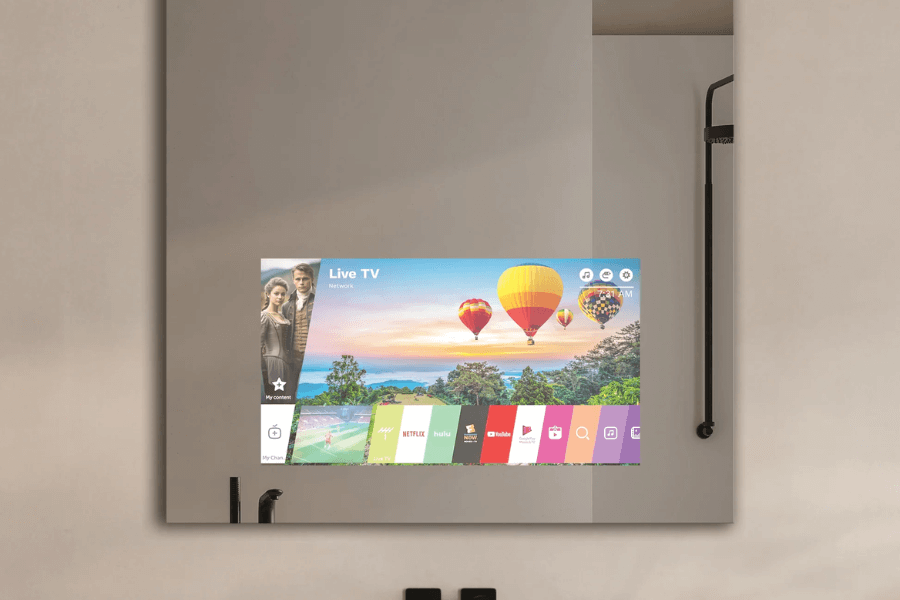
Four Ways to Turn Your TV Into a Mirror
| Method | Core Materials | Cost | Visual Result | Best For |
|---|---|---|---|---|
| Mirror film overlay | Adhesive mirror film | Low | Fair, reduced image quality | Entry-level DIY |
| Custom mirror glass | Dielectric or beam splitter mirror | Medium to high | Professional-grade | Quality-focused DIY |
| Complete kit | Pre-assembled mirror and frame | Medium | Consistent and reliable | Non-technical users |
| Smart mirror build | Two-way mirror, computing unit, TV | Medium | Feature-rich | Advanced users |
Each method balances cost, performance, and installation effort differently. Mirror quality has the greatest impact on final image clarity.
What You Need to Build a Mirror TV
TV Selection
- Slim televisions under 2 inches thick are preferred, as reduced depth simplifies framing and wall mounting.
- OLED TVs offer better concealment and contrast through the mirror layer.
- Older TVs can be reused if the panel is intact and supports modern HDMI inputs.
Mirror Materials
- Dielectric mirrors provide the highest light transmission and image clarity.
- Glass two-way mirrors offer a more affordable alternative with acceptable results.
- Standard mirror film is not recommended for long-term or high-quality installations.
Frame System
- Wood, metal, or composite materials can be used depending on interior style.
- French Cleat mounting systems provide secure and level wall installation.
- Decorative molding can be added without affecting performance.
Control Accessories
- IR repeater systems enable standard remote control operation.
- HDMI-CEC devices allow control through a single remote.
- Bluetooth or RF remotes eliminate line-of-sight limitations.
Tools
- Measuring tape and level
- Saw and router for custom frames
- Drill and screwdrivers
- Isopropyl alcohol and lint-free cloths
- Safety gloves and eye protection
Step-by-Step Guide to Building a Mirror TV
Step 1 – Planning and Measurement
- Select the installation location based on viewing distance and lighting conditions.
- Measure screen dimensions and bezel thickness accurately.
- Plan frame depth and internal clearance for ventilation.
Step 2 – Selecting the Right Mirror and TV
- Choose mirror transparency based on ambient light levels.
- Confirm waterproof treatment for humid spaces such as bathrooms.
- Test TV functionality before final installation.
Step 3 – Building the Frame and Back Housing
- Cut frame sections with precise 45-degree joints.
- Route internal channels for the mirror and display.
- Build a rear enclosure that matches the TV depth.
- Install the French Cleat mounting system.
Step 4 – Installing the Mirror Surface
- Clean the screen thoroughly to remove dust and residue.
- Apply optical-grade adhesive evenly.
- Mount the mirror slowly to prevent air bubbles.
- Seal edges with silicone to block moisture and dust.
Step 5 – Integrating the TV and Controls
- Secure the TV using Z-bars or mounting brackets.
- Manage cables and leave ventilation openings.
- Install IR receivers or wireless control modules.
Step 6 – Optimizing Image Quality
- Disable energy-saving modes.
- Increase brightness and contrast as needed.
- Fine-tune color settings based on mirror transmission.
OLED-specific adjustments
- Enable pixel refresh features.
- Set black levels to low for improved concealment.
- Avoid constant maximum brightness to reduce panel wear.
Step 7 – Mounting and Final Testing
- Locate wall studs and level the cleat accurately.
- Mount the unit with two people for safety.
- Adjust horizontal alignment.
- Test reflection quality, image clarity, and control response.
Where a Mirror TV Works Best
Lighting Control
Mirror TVs perform best in controllable lighting environments.
- Daytime viewing benefits from curtains or indirect lighting.
- OLED panels maintain contrast more effectively in low-light conditions.
Reducing direct light on the mirror surface improves image visibility.
Spatial Considerations
- Ideal viewing distance is 1.5 to 2.5 times the screen diagonal.
- Mount the screen center at seated eye level.
- LCD panels are more sensitive to extreme side viewing angles.
Special Environments
- Bathrooms require sealing, ventilation, and moisture-resistant materials.
- High-temperature spaces need airflow clearance behind the screen.
- Child-accessible areas require reinforced mounting systems.
How to Maintain a Mirror TV for Long-Term Use
Daily Cleaning
- Use non-abrasive glass cleaner for the mirror surface.
- Clean the screen only when powered off.
- Maintain frames according to material type.
Long-Term Maintenance
- Inspect mounts quarterly.
- Reseal edges annually if installed in humid environments.
- Check cables and ventilation paths regularly.
OLED Care
- Enable pixel shift features.
- Avoid static images for extended periods.
- Run panel refresh cycles periodically.
Advanced Design Ideas and Creative Uses
Design Options
- Circular, oval, or polygon mirror shapes
- Hand-carved wood or metal-inlaid frames
- Integrated LED accent lighting
Functional Expansion
- Multi-room content synchronization
- Fitness mirrors with camera feedback
- Smart home control dashboards
Commercial Applications
- Retail interactive displays
- Hotel guest information systems
- Corporate meeting room visualization
FAQ
Q1: Does image quality decrease with a Mirror TV?
Yes. Image brightness typically drops by 30 to 50 percent because light must pass through the mirror layer. Using a high-transmission dielectric mirror and a bright display, especially OLED, helps preserve contrast. Proper lighting control further improves the viewing experience in indoor environments.
Q2: Why use a dielectric mirror instead of a standard mirror?
Dielectric mirrors are designed to balance reflection and light transmission. They allow display images to pass through while still functioning as a mirror when the TV is off. Standard mirrors block most light, which significantly reduces brightness and usability.
Q3: Why is OLED recommended for Mirror TV applications?
OLED displays use self-emissive pixels and achieve true black levels. These characteristics help compensate for brightness loss and improve concealment when paired with a mirror surface. OLED panels are also ultra-thin, making integration cleaner and more flexible.
Q4: Can a Mirror TV be used in a bathroom?
Yes, provided proper precautions are taken. This includes waterproof sealing, moisture-resistant materials, adequate ventilation, and compliant electrical installation. Displays designed for humid environments improve safety, reliability, and long-term performance.
Q5: Is OLED burn-in a concern for Mirror TVs?
Burn-in risk is manageable with correct usage. Pixel shifting, refresh cycles, and varied content help protect the panel. Because a Mirror TV often remains off while acting as a mirror, overall screen usage time is usually lower than with a standard TV.
Q6: Can you turn a regular TV into a mirror?
Yes. A regular TV can be converted by installing a semi-transparent mirror surface in front of the screen. Options range from mirror films to professional dielectric glass. Image quality depends on mirror type, display brightness, and installation conditions.
Final Thoughts and What’s Next for Mirror TV Technology
Mirror TVs offer a practical way to integrate entertainment into interior design without adding visual clutter. Different build approaches suit different priorities.
Recommended paths
- Budget-focused projects using mirror film
- Quality-driven builds using dielectric mirrors and slim TVs
- Feature-rich smart mirror systems using OLED panels
- Turnkey solutions for simplified installation
Technology trends
- Micro-LED may further improve brightness and lifespan
- AI interaction and gesture control will expand functionality
- Transparent and flexible displays will reshape mirror integration
A Practical Closing Note from RUSINDISPLAY
RUSINDISPLAY delivers professional OLED and Transparent Display solutions with practical experience in advanced display integration, including Mirror TV and OLED-based systems. Our work across retail, architectural, and commercial environments helps clients balance visual performance, installation conditions, and long-term reliability, ensuring each display serves a clear functional purpose.