




Rear projection has long played a distinct role in visual presentation. From early film production to commercial displays and immersive environments, it remains a relevant solution when applied in the right context. This article brings together industry perspectives to explain how rear projection works, where its strengths lie, how it compares with front projection, and how it fits into today’s evolving display ecosystem.
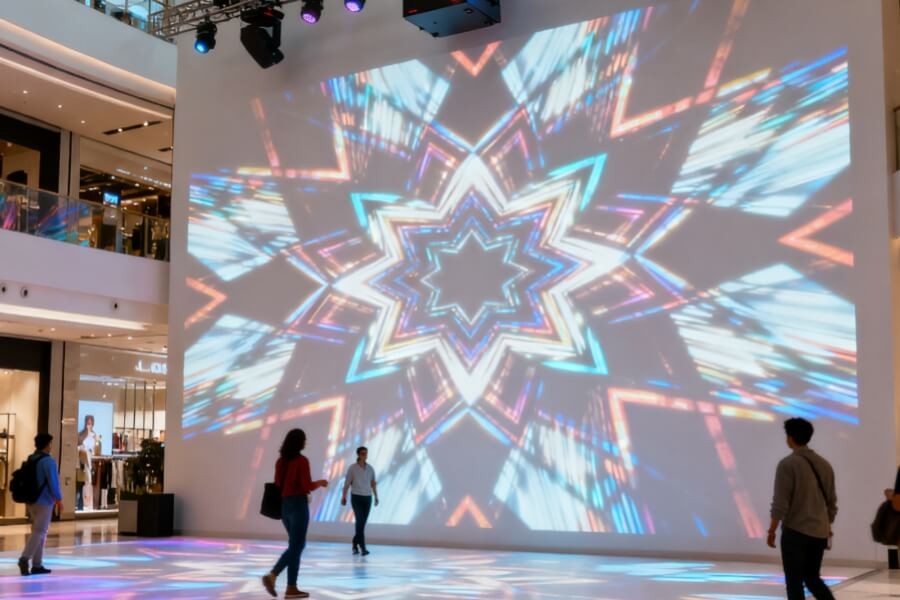
What Is Rear Projection and How Is It Different From Front Projection
Rear projection is a display method where the projector is positioned behind a dedicated screen, allowing light to pass through the screen toward the audience.
Unlike front projection, which relies on reflected light, rear projection uses a semi-translucent optical diffusion screen. The projector casts the image onto the back surface of the screen. The screen material diffuses and modulates the light so the image becomes visible from the front.
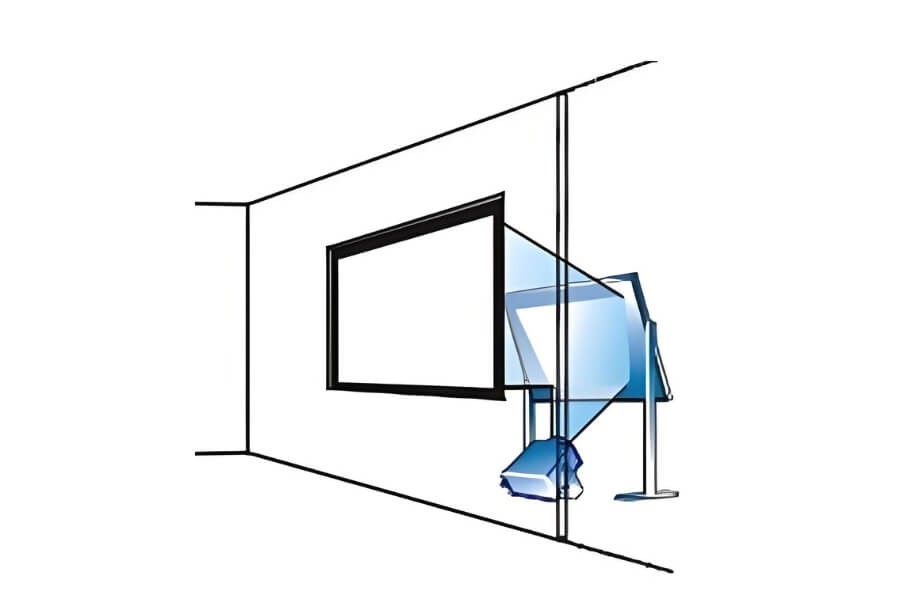
A complete rear projection system consists of three core components:
- A projector with sufficient brightness
- A dedicated rear projection screen made from acrylic, optical glass, or projection film
- Adequate space behind the screen to accommodate the projector and light path
A Brief Look at Its Evolution
Rear projection dates back to the 1930s, when film studios used it to combine live actors with pre-recorded backgrounds, especially in driving scenes. While blue and green screen techniques later became dominant, rear projection never disappeared. Its real-time compositing and immediate visual feedback are now resurfacing through modern virtual production systems, including LED-based environments such as StageCraft.
How Rear Projection Works in Real Environments
Rear projection involves more than placing a projector behind a screen. Image quality depends on optical design, synchronization, and environmental control.
Background Content Preparation
The background image or video, often referred to as the plate, is prepared in advance. For cinematic use, camera movement, focal length, and lighting direction must be planned so the background aligns naturally with foreground action.
On-Site Setup and Synchronization
The rear projection screen is installed between the projection area and the performance or viewing area.
The projector is placed behind the screen and aligned carefully. In professional filming environments, projector and camera timing must remain synchronized to prevent flicker or artifacts. Foreground lighting must also match the brightness, direction, and color temperature of the background content.
Image Formation and Viewing
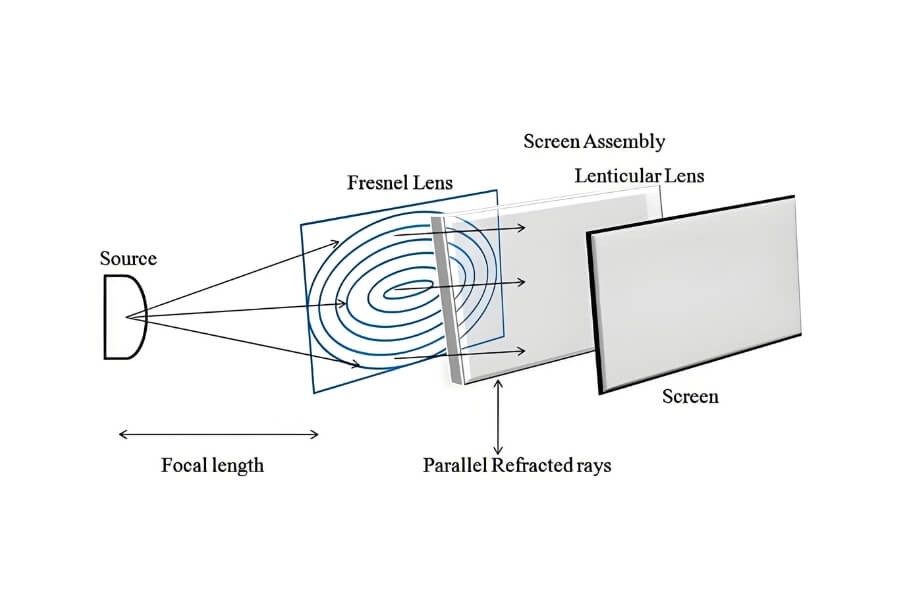
The projector casts the image onto the back of the screen.
The screen’s diffusion layer converts the projected point light into a uniform surface image.
Viewers see a combined image where foreground elements and background visuals appear as a single scene.
Why Rear Projection Is Still Used and Where It Works Best
Rear projection continues to be used because it solves specific challenges that other display methods cannot fully address.
Core Advantages
No shadow interference
Because the light source is behind the screen, people or objects in front do not block the image. This is critical for presentations, performances, and interactive environments.
Improved tolerance to ambient light
Rear projection screens handle front-facing ambient light better than front projection, maintaining contrast in spaces that are not fully darkened.
Hidden equipment and clean aesthetics
Projectors and cabling remain concealed behind the screen, creating a clean and uninterrupted visual space.
Real-time feedback and efficient workflows
In film and live production, directors and performers can see the final composite immediately, reducing reliance on post-production adjustments.
Typical Application Scenarios
- High-end commercial displays in flagship stores, museums, and exhibition halls
- Stage productions, concerts, and large-scale events
- Simulation environments such as flight or driving simulators
- Creative retail windows using switchable projection films
- Modern virtual production environments combining projection and LED systems
Rear Projection vs Front Projection. Which One Fits Your Space
Choosing between rear and front projection depends on space, lighting, and viewing requirements.
| Consideration | Rear Projection | Front Projection |
|---|---|---|
| Space requirements | Requires space behind the screen, typically 1.5 to 2 times screen width | Requires clear space in front of the screen |
| Ambient light | Better tolerance in viewing area, dark space needed behind screen | Highly sensitive to ambient light |
| Image obstruction | No shadows from viewers or presenters | Shadows may occur |
| Installation aesthetics | Equipment fully concealed | Projector often visible or ceiling-mounted |
| Viewing angle | Best when viewed head-on, depends on screen gain | Generally wider viewing angles |
| Screen cost | Specialized screens with higher cost | Wider range of screen options |
| Best suited for | Commercial displays, stages, public spaces | Home theaters, classrooms, meeting rooms |
What to Consider Before Installing a Rear Projection System
Space Planning
Accurate measurement of rear clearance is essential. Standard lenses require 1.5 to 2 times the screen width. Short-throw and ultra-short-throw projectors can significantly reduce this distance.

Screen Selection
Screen material directly affects brightness, viewing angle, and image uniformity.
- High-gain screens appear brighter but limit viewing angles
- Lower-gain screens provide wider viewing angles but require brighter projectors
Projector Performance
High lumen output and strong contrast are critical due to light loss during transmission. DLP projectors are often preferred for their contrast stability.
Ambient Light Management
Rear projection tolerates ambient light better, but direct light hitting the screen or light leaking from behind will degrade image quality.
Content and Interaction
Interactive installations require low-latency projection and careful placement of sensors such as infrared frames or cameras.
How Rear Projection Fits Into Modern Display Systems
Rear projection is not disappearing. It is evolving and integrating with newer display technologies.
Integration With LED Virtual Production
Large LED walls represent an advanced form of rear projection where pixels emit light directly. These systems offer unmatched brightness, contrast, and real-time responsiveness.
Transparent Displays and Layered Visual Design
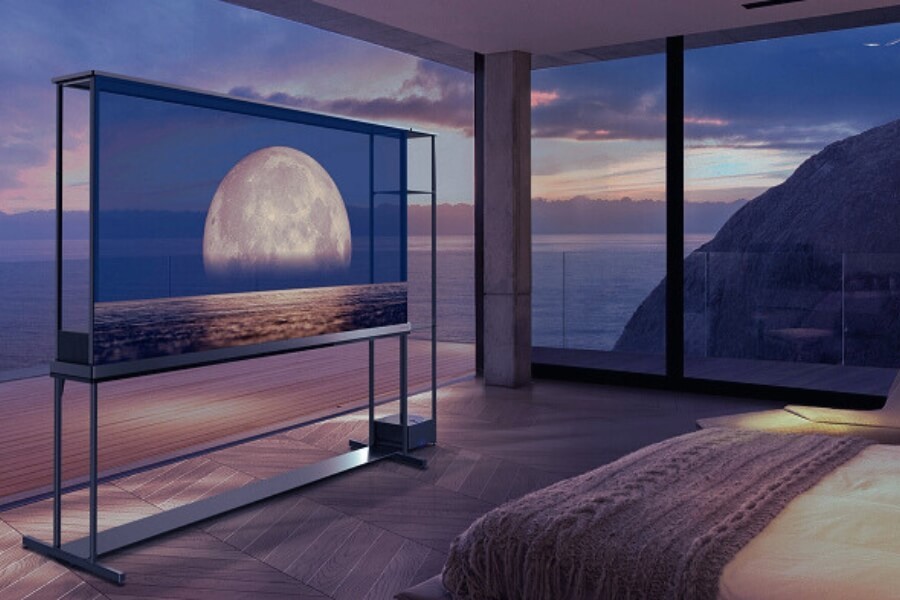
In advanced commercial spaces, rear projection can serve as a dynamic environmental backdrop, while transparent OLED displays in the foreground present floating information, product visuals, or interactive elements.
This layered approach creates depth and narrative clarity. Rear projection delivers scale and atmosphere. Transparent OLED provides precision, transparency, and direct interaction.
Manufacturers like RUSINDISPLAY, which specialize in transparent OLED display systems and custom visual integration, support this hybrid strategy in real commercial projects. In retail flagships, exhibition halls, and brand experience spaces, transparent OLED solutions from RUSINDISPLAY are often used as foreground information layers.
Modular and Custom Form Factors
Modern systems increasingly support curved surfaces, domes, and architectural customization, expanding the creative potential of rear projection.
FAQ
Q1:Do rear projection systems require special projectors?
Most modern projectors include a rear projection or image flip mode. The key requirement is sufficient brightness to compensate for light loss through the screen.
Q2:Can a standard white projection screen be used?
No. Front projection screens are opaque and reflective. Rear projection requires a semi-translucent screen designed for light transmission and diffusion.
Q3:Is rear projection suitable for bright rooms or outdoor use?
It performs better than front projection in lit indoor spaces. Outdoor use requires high-gain screens, very bright projectors, and additional light control.
Q4:Are viewing angles limited?
Viewing angles depend on screen gain. High-gain screens narrow the optimal viewing cone. Lower-gain screens widen angles but demand higher projector brightness.
Q5:Can rear projection screens be DIY?
DIY options using frosted acrylic or projection films are possible, but uniformity and color accuracy rarely match professional screens. Commercial installations benefit from dedicated products.
Q6:Why do rear projection images sometimes appear washed out?
This is usually caused by light leakage behind the screen or insufficient projector brightness. Proper rear space light control and adequate lumen output resolve most issues.
Key Takeaways for Commercial Display Projects
Rear projection remains a technology where optical design, spatial planning, and content strategy intersect. While display technology continues to advance, rear projection retains unique advantages in shadow-free presentation, equipment concealment, and real-time compositing.
When combined thoughtfully with modern solutions such as LED systems and transparent OLED displays, rear projection becomes part of a broader visual strategy rather than a standalone technique.
RUSINDISPLAY delivers professional transparent OLED display solutions and custom visual systems for commercial spaces and high-end display projects. From hardware manufacturing to system integration and interactive content development, RUSINDISPLAY supports project-based deployments where transparency, spatial continuity, and visual clarity are essential.