




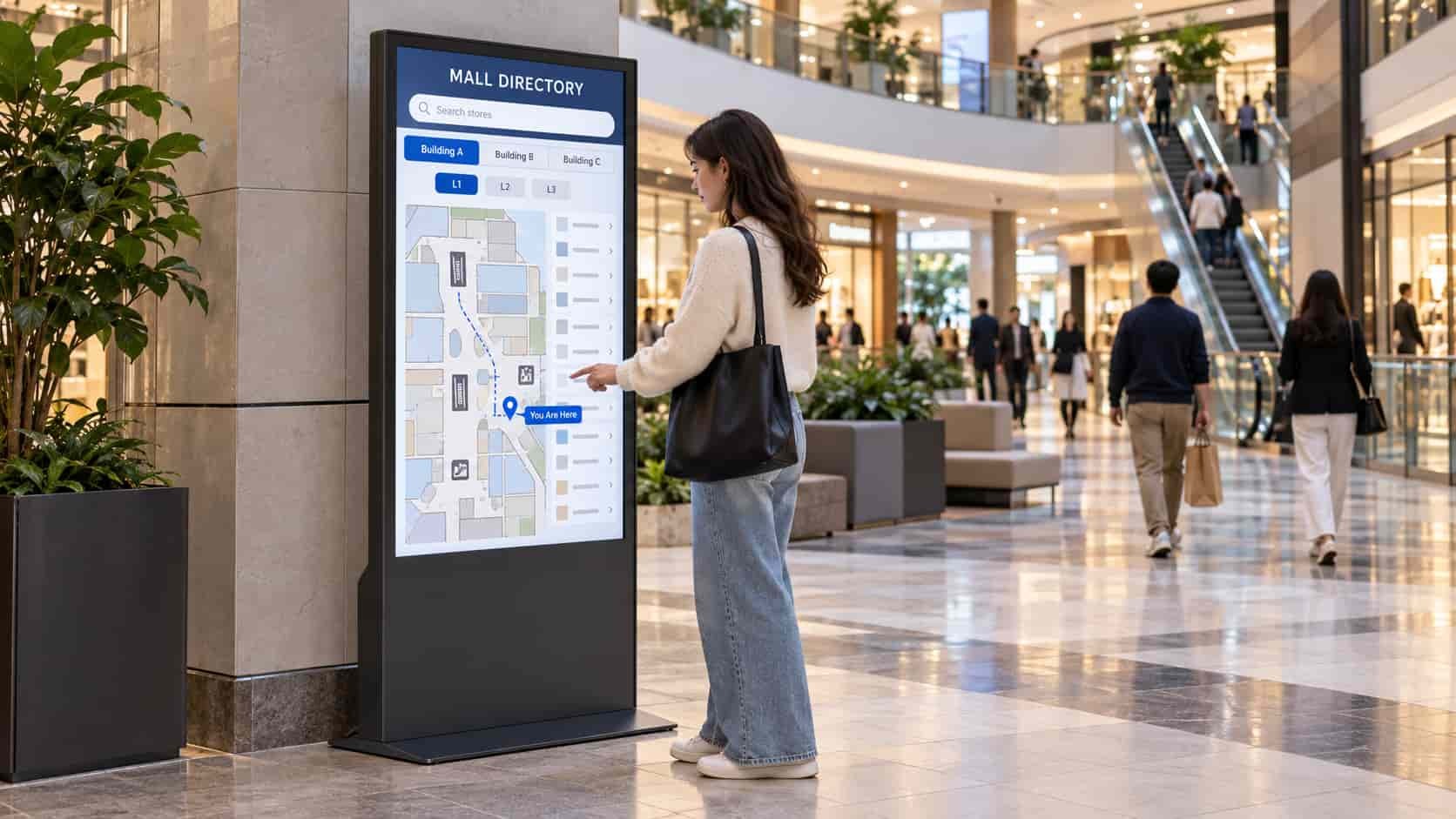
A touch screen mall directory helps shoppers answer two questions: Where is the store, and how do I get there?
In a shopping complex with several buildings, a brand name and floor number may not be enough. The directory needs to show which building contains the store and connect that location to a route from the screen the shopper is using.
Browse Stores by Building and Floor
Shoppers who want to explore can start with the mall layout. Select a building, choose a floor and view the brands located there.
Keep the store list and floor map connected. Selecting a brand should highlight its location and show the building, floor and unit number. Selecting a shop on the map should open the same store information.
For example, choosing Building B → Level 2 could display that floor’s fashion stores, restaurants and services alongside their positions. In a single-building mall, the interface can begin with the floor selector.
Show the selected building and floor clearly throughout browsing. Visitors should be able to switch floors or return to the overall mall map without losing track of where they are looking.
Search for a Brand and Plan the Route
Shoppers who already know the brand should be able to search directly. Each result needs enough location information to identify the right destination: brand name, building, floor and unit number.
If a brand has multiple locations within the complex, show them separately. A café counter in one building and a full restaurant in another should not lead to an ambiguous result.
After the shopper selects View Route, navigation begins at that kiosk’s “You Are Here” position. Each directory screen needs its own starting point, even when all screens share the same brand database.
A same-floor route can highlight the corridor and store entrance. A cross-floor route needs to identify the lift or escalator and the destination floor. Between buildings, show the actual connecting passage, bridge or outdoor walkway.
An illustrative journey might be:
Find the brand → confirm Building C, Level 3 → cross the connecting bridge → take the lift → follow the corridor to the store entrance.
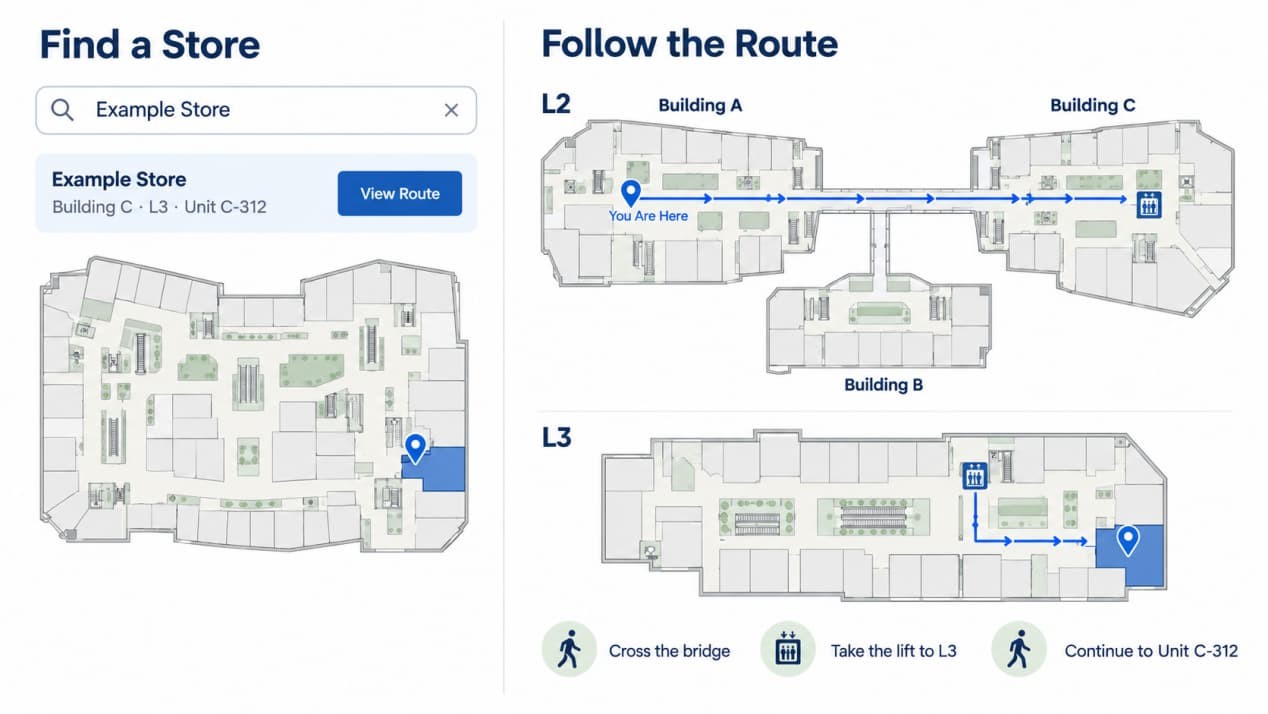
The map should make those transitions easy to follow. Route endpoints belong at public entrances, especially for large stores with entrances on different corridors or floors.
What Else Helps Shoppers Reach the Store?
Service locations belong in the same search and map system. Restrooms, customer services, parking access and lifts are useful destinations in their own right.
Where the application supports a step-free option, it should use suitable entrances and lifts throughout the journey. A QR handoff can let shoppers carry the route on their phones, while language options can make the directory easier for international visitors to use.
Keep these controls easy to reach. On a large portrait display, the map can occupy the upper area while search, floor selection and route controls remain accessible below.
Check the Directory Against the Real Mall
Test both main tasks before the directory goes live: browsing by location and searching for a known brand.
| Check | Expected Result |
| Select a building and floor | The correct brands and map appear |
| Search for a brand | Results identify the correct store locations |
| Request a route from different kiosks | Each route starts at the kiosk being used |
| Navigate across floors or buildings | The route follows usable lifts, passages and entrances |
| Move a store or close a passage | Listings, map positions and affected routes update together |
Walk representative routes on site. Check that the floor names match physical signs and that a shopper can recognize each junction shown on the screen. Include a seated user when checking the complete search and route-selection process.
RusinDisplay’s 55-inch freestanding display is one hardware option for a mall directory installation, with the touch configuration selected for the project.
RusinDisplay provides hardware and CMS. Brand directories, maps, search and route planning are supplied through the customer’s or a third-party application.
FAQ
Can one touch screen directory cover several mall buildings?
Yes, when the directory application supports a multi-building layout. Store records should identify the building, floor and unit, while routes should follow the actual connections between buildings.
Why does each directory kiosk need its own starting point?
The route must begin where the shopper is standing. Kiosks can share the same store information, but each needs a location-specific “You Are Here” position.
What happens when a store moves or a passage closes?
Update the store listing, map location and affected routes together. A closed passage also needs to be removed from available routes until it reopens.
Can shoppers take the route on their phones?
Yes, if the selected application supports mobile handoff, such as a route-specific QR code. Confirm whether the phone view requires internet access and whether it preserves the selected destination.
Does the display include mall directory software?
RusinDisplay provides the hardware and CMS. The interactive brand directory, maps, search and route planning are supplied by the customer or a third-party application provider.